Getting Started with AI in 2026: A Practical Guide for Small Teams
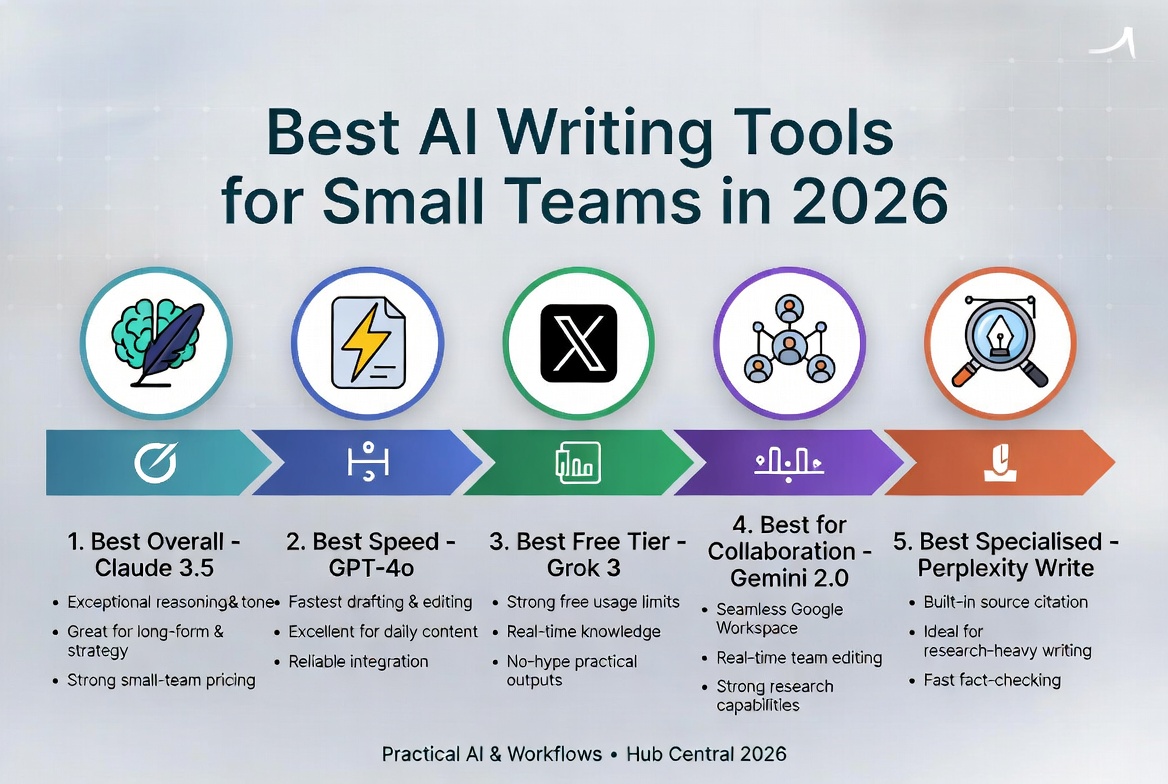
Artificial intelligence has evolved significantly in 2026. If you're on a small team looking to automate content creation, you don't need expensive enterprise solutions—you need practical workflows that fit your budget and scale.
What Can AI Actually Do for Your Team in 2026?
Here's the reality of what AI tools can help you accomplish right now:
Getting Started: The Basics
Before diving into advanced workflows, ensure you have:
- A clear content strategy – Know what you're creating and why
- Understanding of your team's workflow – Map out what takes the most time
- Basic knowledge of available AI tools – Start with one tool, master it
Key Insight
The best AI implementation is one that fits seamlessly into your existing workflow. Don't try to automate everything at once—start with one pain point and expand from there.
Which AI Tools Should You Use?
Here's a practical breakdown of the most useful AI tools for small teams in 2026:
| Tool | Best For | Cost | |------|----------|------| | ChatGPT | General writing, brainstorming | Free / $20/mo | | Claude | Long-form content, research | Free / $20/mo | | Notion AI | Documentation, wikis | $10/user/mo | | Jasper | Marketing content | $49/mo |
How to Implement AI in Your Workflow
Step 1: Identify Your Bottlenecks
- What takes the most time in your content process?
- Where do you get stuck repeatedly?
- What's the highest-leverage task you could automate?
Step 2: Start Small
Don't try to replace your entire content team with AI. Instead:
Step 3: Measure and Iterate
Track these metrics:
- Time saved per piece of content
- Content output volume
- Quality scores (before/after AI assistance)
Common Mistakes to Avoid
What to Avoid
- Publishing AI content without human review
- Using AI to replace creativity, not augment it
- Trying to automate everything at once
- Ignoring your team's learning curve
FAQ
How much does AI content generation cost?
Most quality AI tools cost between $0-50/month. Start with free versions to test, then upgrade as you see results.
Will Google penalize AI-generated content?
No, Google penalizes low-quality content regardless of how it was created. AI can help you produce more content faster, but quality remains paramount.
How long does it take to see results?
Most teams see immediate time savings on first drafts. Significant workflow improvements typically emerge within 2-4 weeks of consistent use.
Do I need technical skills to use AI tools?
No. Most AI tools in 2026 have intuitive interfaces that require no coding knowledge.
Internal Links to Explore
- WordPress AI Plugins Guide – Integrate AI directly into your CMS
- Best Budget Hosting for Small Teams – Infrastructure that scales with your content
- Automating WordPress with AI Agents – Advanced automation strategies
Conclusion
The key is not to replace human creativity, but to augment it. Start small, measure results, and scale what works. The best AI implementation is one that fits seamlessly into your existing workflow—creating more time for your team to focus on strategy and creativity.
Ready to dive deeper? Explore our AI Tools category for more practical guides.
Keep Reading
Best AI Writing Tools for Small Teams in 2026 (Tested & Ranked)
We tested the top AI content generators for workflow integration, output quality, and price. Here are the tools that actually save time for lean teams.

How to Safely Use AI Tools with WordPress in 2026 – A Practical Guide for Small Teams
A clear, step-by-step guide for small teams on how to safely add AI tools to WordPress without breaking your site, losing control, or creating new problems. Real workflows, safety checkpoints, and what actually works in 2026.
About Hub Central Team
Written by the Hub Central editorial team. We test real AI workflows and WordPress processes to help small teams work faster and smarter.