How to Map a Workflow Before Using AI | Hub Central
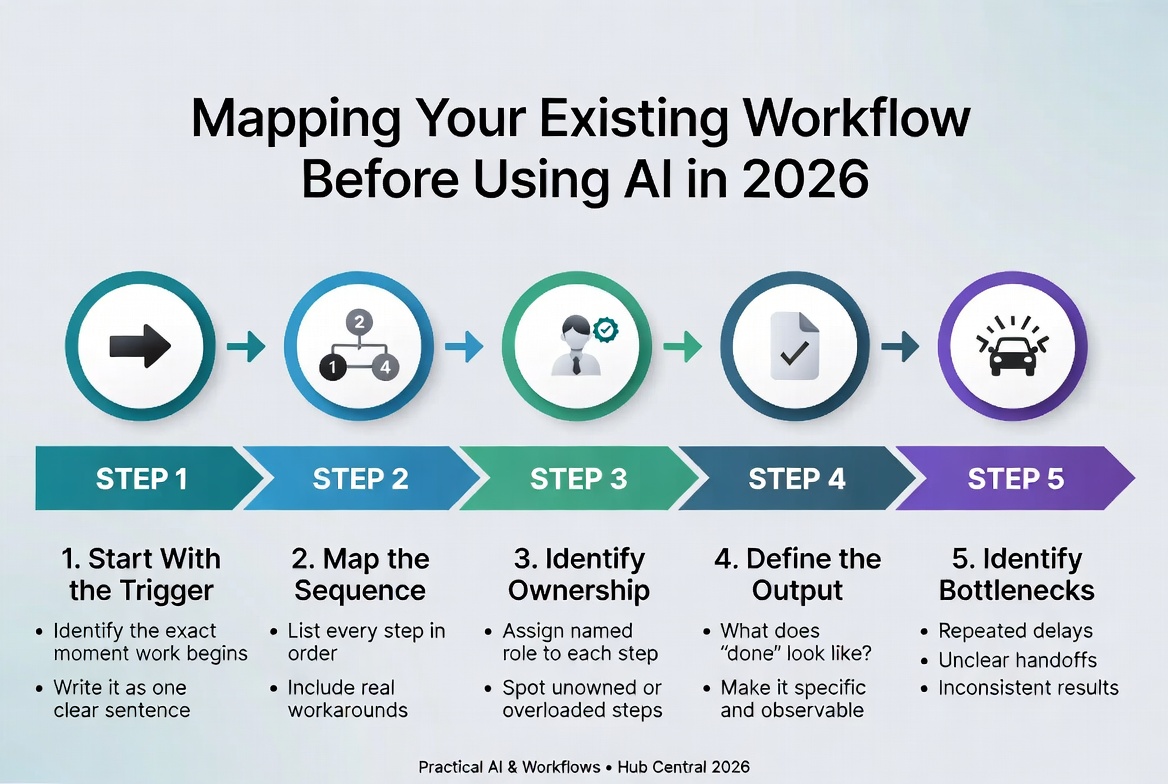
AI is often introduced backwards.
A team notices a repetitive task, searches for an AI tool, starts experimenting with prompts, and only later discovers that the real problem was the workflow itself.
The better starting point is simpler: understand how the work actually happens before deciding where AI belongs.
A workflow map gives you that picture. It shows the trigger, the steps, the people involved, the systems and information used, the decisions that have to be made, the exceptions that interrupt the normal path, and the outcome that counts as done.
For a small team, this does not need to become a six-week process-improvement project. One well-chosen workflow, mapped honestly from beginning to end, can reveal more than a long list of potential AI use cases.
Current guidance from Australia's National AI Centre takes a similar process-first approach: map the work, identify pain points, then assess where AI actually adds value.
Why You Should Map the Workflow First
The biggest mistake is treating the AI tool as the starting point.
An AI model can summarise, classify, draft, extract, search, analyse or generate. None of that tells you whether those capabilities belong in your process.
Suppose a small business wants to use AI to speed up client enquiries. The obvious idea might be an AI assistant that reads incoming messages and drafts replies.
But mapping the workflow could reveal that the real bottleneck is elsewhere: enquiries arrive through several channels, required information is incomplete, follow-up ownership is unclear, pricing still needs owner approval, data is copied between systems, or follow-ups are simply forgotten.
Adding AI to the reply-writing step would not fix those problems. It could make the process more complicated while leaving the actual bottleneck untouched.
That is why the first question should not be “Where can we use AI?” It should be “How does this work from trigger to outcome?”
Choose One Workflow — Not the Whole Business
Do not start by mapping your entire business.
Choose one process that is:
- Repeatable: it happens regularly.
- Bounded: you can clearly identify where it starts and ends.
- Observable: someone can explain and demonstrate how it currently works.
- Painful enough to matter: there is measurable friction, delay, repetition or rework.
- Safe enough to study: you can examine it without immediately changing a high-risk process.
Good starting examples include:
- client enquiry handling;
- preparing a recurring report;
- publishing a regular piece of content;
- processing an invoice;
- preparing a project brief;
- onboarding a client; and
- producing meeting notes and follow-up actions.
The objective is not to find the most impressive AI opportunity. It is to find a real workflow that you can understand well enough to improve.
Capture the Workflow as It Actually Happens
This is where many workflow maps become misleading.
People document the official process instead of the real process.
The official process might say:
Enquiry received → qualify lead → prepare proposal → send proposal → follow up → close.
The real process might look more like:
Enquiry arrives in WhatsApp → someone forwards it to the owner → owner asks for missing information → pricing is checked in an old spreadsheet → proposal is copied from a previous document → another person reviews the wording → proposal is emailed → follow-up is remembered manually → status is updated later.
The second version is much more useful because it exposes the workarounds.
A useful workflow map should record at least:
| Field | Question |
| Trigger | What starts the workflow? |
| Step | What actually happens? |
| Owner | Who performs or owns the step? |
| Input | What information is required? |
| System | Where does the work happen? |
| Output | What does this step produce? |
| Decision | Is there a choice or approval here? |
| Exception | What happens when the normal path breaks? |
| Time | How much effort or waiting is involved? |
| Completion | How do we know the work is actually done? |
The important word is actually.
Walk through a recent real example rather than relying entirely on a policy document or someone's memory. Capture workarounds, bottlenecks, rework, waiting and information gaps.
Find the Friction Before Looking for AI
Once the workflow is visible, look for the points where work becomes expensive or unreliable.
Common friction patterns include:
- repetitive manual work;
- copying information between systems;
- waiting for someone to respond;
- repeated approvals;
- inconsistent outputs;
- missing information;
- unnecessary handoffs;
- rework caused by errors;
- bottlenecks around one person; and
- exceptions that repeatedly require special handling.
Do not label all of these as AI opportunities.
Some are process-design problems.
If a step exists only because nobody has removed an unnecessary approval, AI is not the solution. If employees repeatedly type the same information into two systems, a normal integration may be better. If a process is inconsistent because nobody has agreed on the required inputs, create a standard first.
If the work requires interpreting messy information and producing a draft that a person can evaluate, AI may be useful.
This distinction matters because simpler solutions such as templates, rules-based automation, process streamlining, training and system integration may solve the underlying problem more effectively.
Classify Each Step
A practical way to move from workflow mapping to technology decisions is to classify every step.
1. Rule-based
The step follows clear rules and consistent inputs.
Examples include moving a record when a condition is met, sending a standard notification, calculating a value, or creating a task when a form is submitted.
These steps often belong to conventional automation rather than AI.
2. AI-suitable
The step involves interpreting information, producing a first draft, or working with language and other unstructured material where the output can be evaluated.
Examples include summarising a meeting, classifying an enquiry, extracting information from a document, drafting a response, or turning notes into a structured brief.
AI can assist here, but the workflow still needs a defined owner and acceptance criteria.
3. Human-critical
The step requires accountable judgement, a consequential decision, relationship sensitivity or approval.
Examples might include approving a financial commitment, making a sensitive personnel decision, approving a public statement, accepting a legal or contractual position, or deciding how to handle an unusual client situation.
These steps should not disappear simply because an AI system can produce an answer.
4. Remove or simplify
Some steps should not be automated at all. They should be removed.
If a report is created only because another report needs it, or a person copies information between systems because two systems were never connected, adding another automation layer may simply preserve unnecessary complexity.
The best automation target can sometimes be a step you eliminate.
Add Controls Before Adding AI
A workflow is not ready for AI simply because you have identified a suitable task.
You also need to decide what happens when the AI is uncertain, wrong, or presented with information outside the normal case.
For each AI-assisted step, define:
- What the AI is allowed to do.
- What it is not allowed to do.
- Who reviews the result.
- When review is mandatory.
- What happens when required information is missing.
- How an exception reaches a person.
- What evidence confirms completion.
Human review does not have to mean a person manually checks every low-risk action forever. Oversight can be designed according to the consequence of failure, using patterns such as review before action, human oversight while a system operates, spot checks and exception-based handling.
The important point is that the control is designed before the automation is deployed.
Turn the Map Into an AI Opportunity List
After mapping and classifying the workflow, create a small opportunity list.
For each candidate step, record:
| Question | Example |
| Problem | Staff spend time drafting repetitive replies. |
| Current method | Person reads enquiry and writes response manually. |
| Frequency | 40 enquiries per week (hypothetical example). |
| Input | Website form and email content. |
| Desired output | Accurate draft reply with relevant next step. |
| Possible AI role | Classify enquiry and draft response. |
| Risk | Incorrect information or inappropriate tone. |
| Human control | Staff member reviews before sending. |
| Success measure | Reduced drafting time without increasing corrections. |
This changes the conversation from “Which AI tool should we buy?” to “Which part of this workflow has a measurable problem that AI could help solve?”
That is a much better procurement question.
A Simple Example: Client Enquiry to Follow-Up
Consider a small creative business receiving new client enquiries.
Current workflow
- A client sends an enquiry.
- Someone reads the message.
- Missing information is identified.
- The client is contacted for clarification.
- The enquiry is assessed against the services offered.
- Pricing and availability are checked.
- A response or proposal is prepared.
- The owner reviews it.
- The response is sent.
- A follow-up is scheduled.
Now examine the friction.
The first message may be unstructured. The same questions may be asked repeatedly. Information may be copied into a project system. Proposal wording may be recreated from old documents. Follow-ups may depend on someone's memory.
There are several possible improvements, but they are not all AI problems.
| Step | Better approach |
| Extract enquiry details | AI could structure the incoming information. |
| Check required information | Rules can identify missing fields. |
| Determine service fit | AI can assist classification, with human review where needed. |
| Check availability | Existing scheduling software or rules may be better. |
| Draft response | AI can produce a first draft. |
| Approve pricing | Keep human ownership. |
| Send response | Automated only after the appropriate approval. |
| Schedule follow-up | Conventional automation may be sufficient. |
Notice what happened.
The workflow did not become “an AI workflow”.
It became a workflow with several different types of technology and several deliberate human control points.
That is usually the more useful design.
Use the Map Before You Choose a Tool
Once you have the workflow map and opportunity list, you are finally in a position to evaluate tools.
This is where the rest of the Hub Central AI workflow framework becomes useful.
Start by deciding whether the identified step genuinely benefits from AI. Then evaluate tools against the actual requirement rather than their feature lists. See A Framework for Evaluating AI Tools Before Adoption for the next decision layer.
After selecting an approach, implementation should include data considerations, permissions, testing, feedback loops and human ownership. The Step-by-Step AI Integration Checklist for Small Teams covers that implementation layer.
And if the proposed AI layer makes the workflow slower, more complicated or harder to control, that is useful information. The correct answer may be to simplify the system or remove the AI component. See When AI Makes a Workflow Worse for that counterpoint.
The Workflow Mapping Checklist
Before introducing AI into a workflow, you should be able to answer these questions:
- [ ] What exactly triggers the workflow?
- [ ] What outcome defines completion?
- [ ] What are the actual steps from start to finish?
- [ ] Who owns each step?
- [ ] What inputs does each step require?
- [ ] Which systems or tools are involved?
- [ ] Where are the decisions and approval gates?
- [ ] What exceptions occur in real work?
- [ ] Where does work wait or get repeated?
- [ ] Which steps can be removed or simplified?
- [ ] Which steps are deterministic enough for normal automation?
- [ ] Which steps genuinely benefit from AI?
- [ ] Which decisions must remain human-owned?
- [ ] What happens when AI is uncertain or wrong?
- [ ] How will you measure whether the new workflow is better?
If you cannot answer these questions, you probably are not ready to choose the AI tool yet.
The Point Is Not to Add AI
AI should be an implementation decision, not the definition of the project.
The goal is to make a workflow better.
Sometimes that means AI. Sometimes it means conventional automation. Sometimes it means connecting two systems. Sometimes it means creating a better form, removing an approval, rewriting a procedure or training the person doing the work.
And sometimes the best decision is to leave the workflow alone.
Mapping the workflow first gives you enough information to make that decision deliberately.
That is the real value of process-first AI adoption: you are improving the work first, and choosing technology second.
What to Do Next
Once you have mapped the workflow, the next question is whether AI is actually the right intervention.
Use the map to evaluate the opportunity, then move into tool selection and implementation only where the evidence supports it.
Start with A Framework for Evaluating AI Tools Before Adoption, then use the Step-by-Step AI Integration Checklist for Small Teams when you are ready to implement.
If you discover that AI is not the right fit, that is not a failed experiment. It is a successful decision based on understanding the work.
Keep Reading
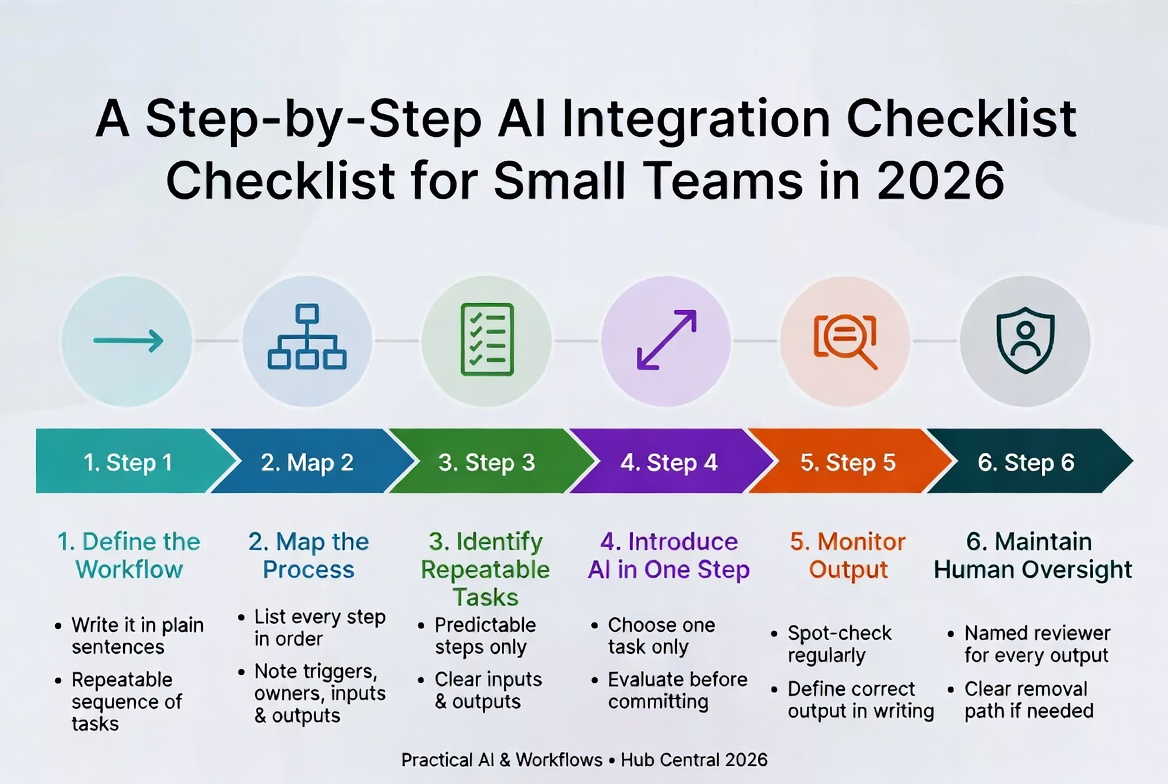
A Step-by-Step AI Integration Checklist for Small Teams in 2026
A disciplined six-step framework for adopting AI without losing control. Define the workflow first, map it, then introduce AI one step at a time – so you actually trust the results.
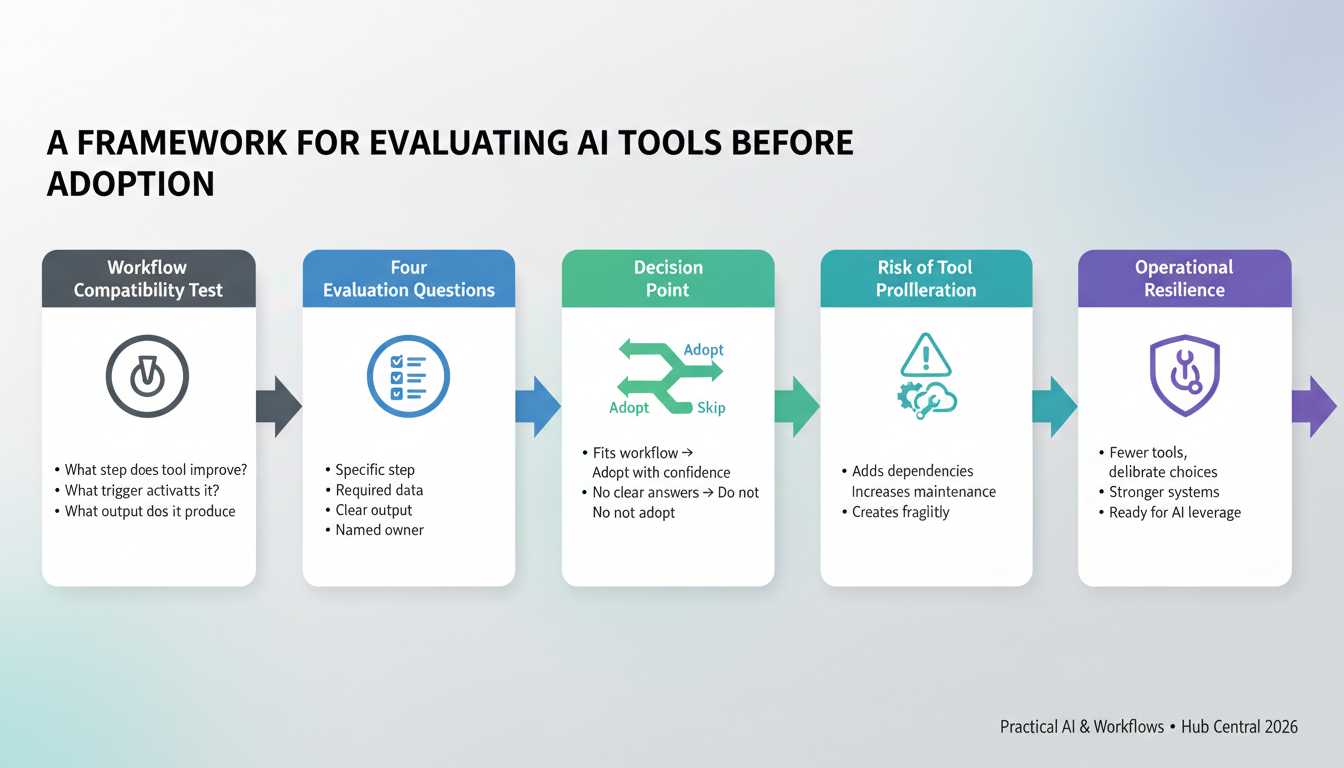
A Framework for Evaluating AI Tools Before Adoption in 2026
Most teams evaluate AI tools by features. The right question is whether the tool actually fits your workflow. This four-question framework prevents tool proliferation and wasted spend.
About Okel Dijital Team
Written by the Hub Central editorial team. We test real AI workflows and WordPress processes to help small teams work faster and smarter.