A Step-by-Step AI Integration Checklist for Small Teams in 2026
Everyone is talking about AI. Fewer people are talking about how to introduce it carefully. For small teams, a rushed rollout can create more problems than it solves — inconsistent outputs, unclear ownership, and processes that quietly break when no one is watching.
This checklist is not about moving fast. It is about moving deliberately. Follow these six steps and you will have a foundation for AI that your team actually trusts.
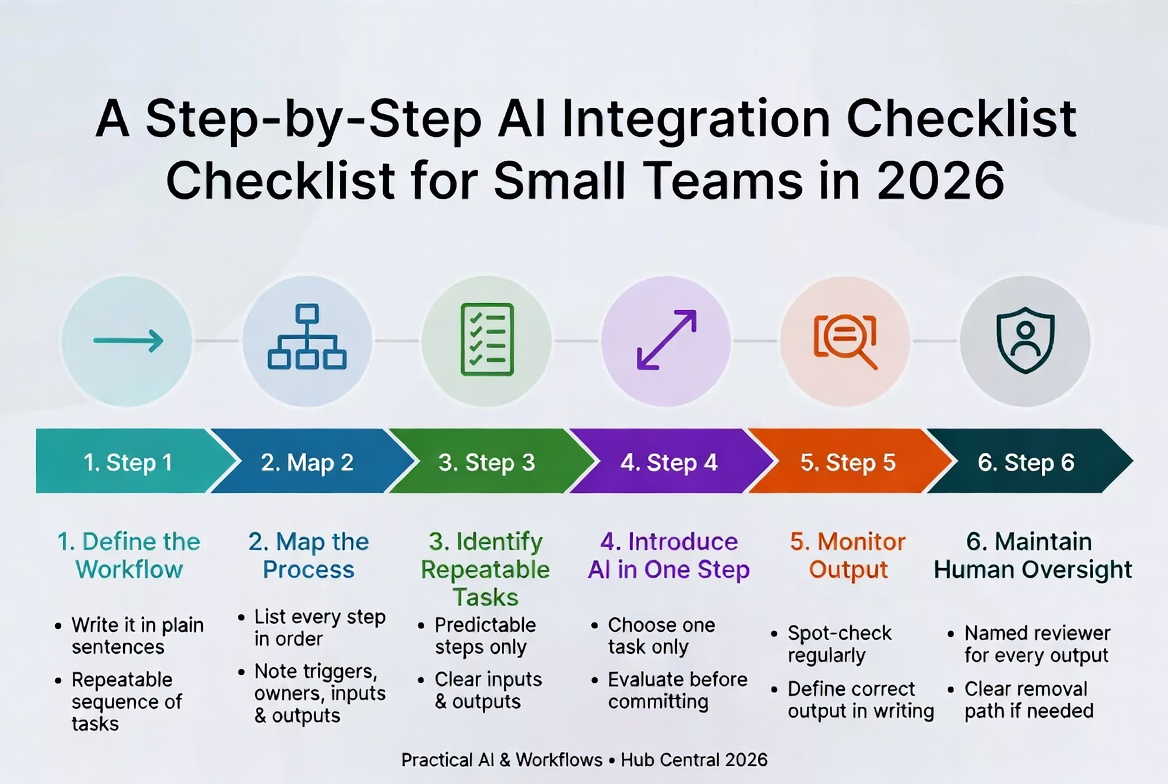
Step 1 — Define the Workflow
Before you introduce any tool, you need to know exactly what workflow you are trying to improve. A workflow is a repeatable sequence of tasks that produces a specific outcome — a client report, a support ticket response, a weekly summary.
If you cannot write down the workflow in plain sentences, it is not ready for AI. Start by describing it as you would to a new team member on their first day.
See also: What Is a Workflow? Definition, Examples, and Why Workflows Matter
Step 2 — Map the Process
Mapping makes the invisible visible. Take the workflow you defined in Step 1 and draw it out — every step, in order, with inputs and outputs noted.
You do not need specialist software. A whiteboard, a sheet of paper, or a simple table works fine. What matters is that every person on the team can look at the map and agree: yes, this is how we actually do it.
Common things to capture for each step:
- What triggers it
- Who is responsible
- What information or materials are needed
- What the output looks like when the step is done correctly
See also: Mapping Your Existing Workflow Before Using AI
Step 3 — Identify Repeatable Tasks
AI performs best when the task is predictable. Look at your process map and ask: which steps happen the same way, every time, with roughly the same inputs and expected output?
These are your candidates. Tasks that require fresh judgment, relationship context, or real-time situational awareness are not — at least not yet.
Good candidates share these characteristics:
- The task follows a clear pattern (summarise, categorise, format data)
- The quality of the output can be assessed quickly and reliably
- A mistake in this step is easy to catch before it causes downstream damage
Start with just one or two solid tasks. Do not try to automate everything at once.
Step 4 — Introduce AI in One Step
Choose one task from your list. Just one. Introduce the AI tool there, and only there.
This is sound engineering: when you change one variable at a time, you know exactly what caused any improvement or problem.
Before committing, evaluate the tool properly using the framework in:
See also: A Framework for Evaluating AI Tools Before Adoption
Step 5 — Monitor Output
AI tools do not come with a warranty. Once introduced, establish a simple validation habit:
- Spot-check outputs regularly
- Define what a correct output looks like, in writing
- Track any failures or near-misses
- Set a review point (date or volume threshold) to decide whether to continue, adjust, or stop
This is not distrust — it is maintaining the standard of quality your team has always been responsible for.
Step 6 — Maintain Human Oversight
AI is a tool. Your team remains responsible for the outputs that carry your name.
Human oversight is a permanent part of the design:
- Every AI-assisted step should have a named person accountable for reviewing and approving
- Your team should understand what the tool does and does not do
- There should always be a clear path to removing the tool if something goes wrong
The teams that get the most from AI are not the ones who hand over the most tasks. They are the ones who stay closest to what the tool is doing.
Where to Go From Here
These six steps are not a one-time project. They are a cycle. Each time you introduce AI into a new part of your workflow, start again at Step 1.
The discipline of that cycle is what separates teams that adopt AI well from teams that end up with a collection of tools nobody fully understands and nobody fully trusts.
See also: When Should You Introduce AI Into a Workflow?
See also: When AI Makes a Workflow Worse
Series Complete: Back to the AI Workflows Playbook Hub
Keep Reading
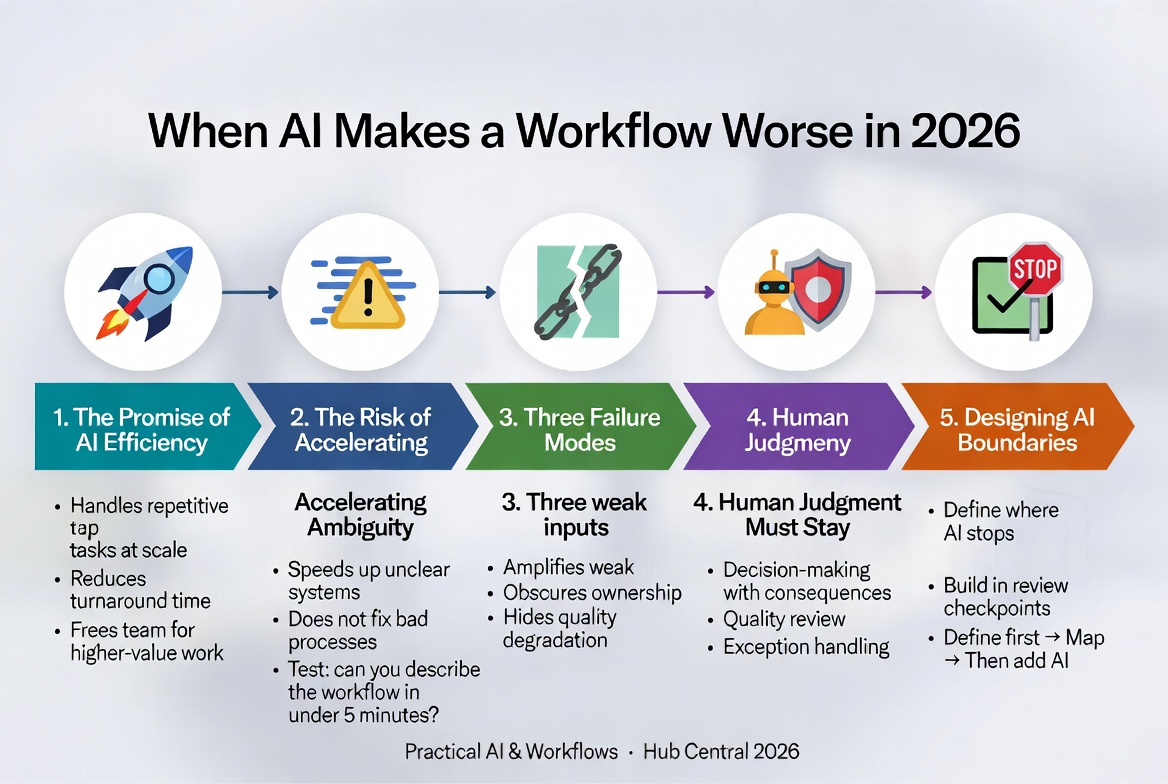
When AI Makes a Workflow Worse in 2026
AI can dramatically improve workflows, but it can also make them measurably worse when dropped into unclear processes, undefined standards, or poorly owned steps. Here are the three failure modes and how to avoid them.
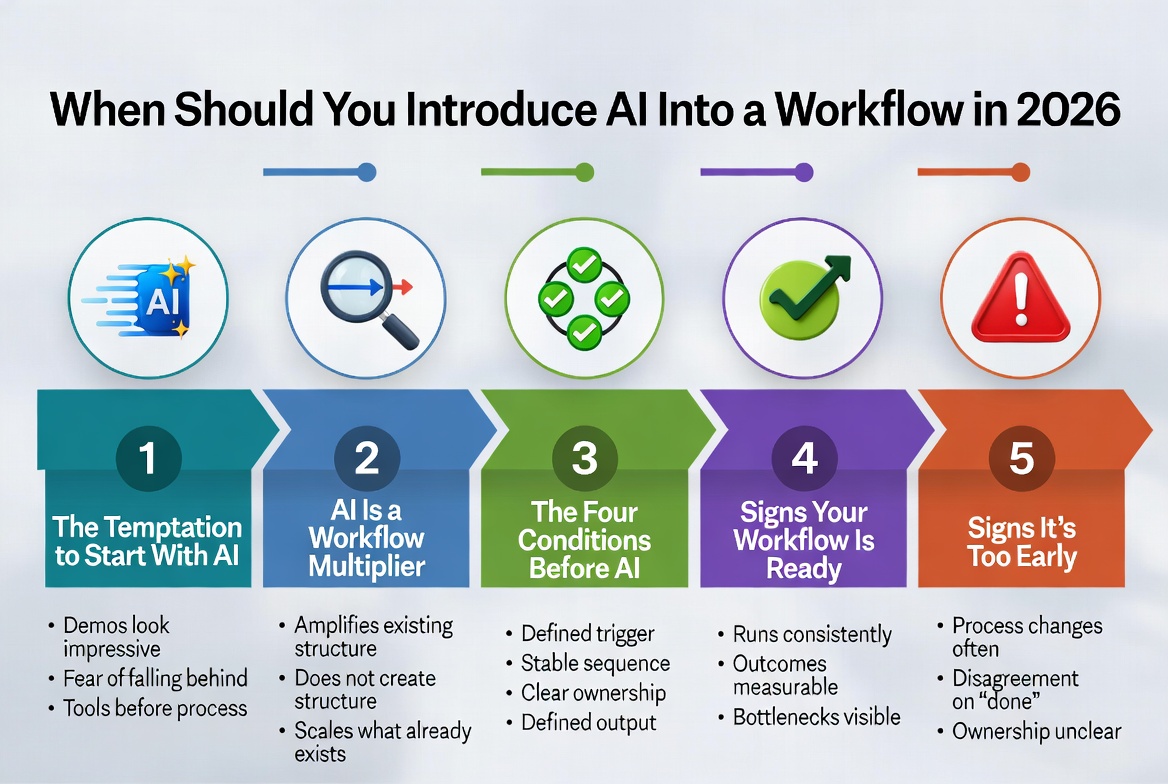
When Should You Introduce AI Into a Workflow in 2026
The right time to introduce AI is after your workflow has a clear trigger, sequence, ownership, and defined output. Introducing it earlier simply speeds up confusion.
About Okel Dijital Team
Written by the Hub Central editorial team. We test real AI workflows and WordPress processes to help small teams work faster and smarter.