When AI Makes a Workflow Worse in 2026
Everyone loves a good efficiency story. You automate a task, save three hours a week, and wonder how you ever lived without it. AI tools have made that feeling more accessible than ever.
But here’s the part that doesn’t get talked about as much: AI can also make things measurably worse.
Not because the technology is broken, but because it’s being dropped into the wrong conditions — unclear processes, undefined standards, and teams that have quietly handed over responsibilities they shouldn’t have.
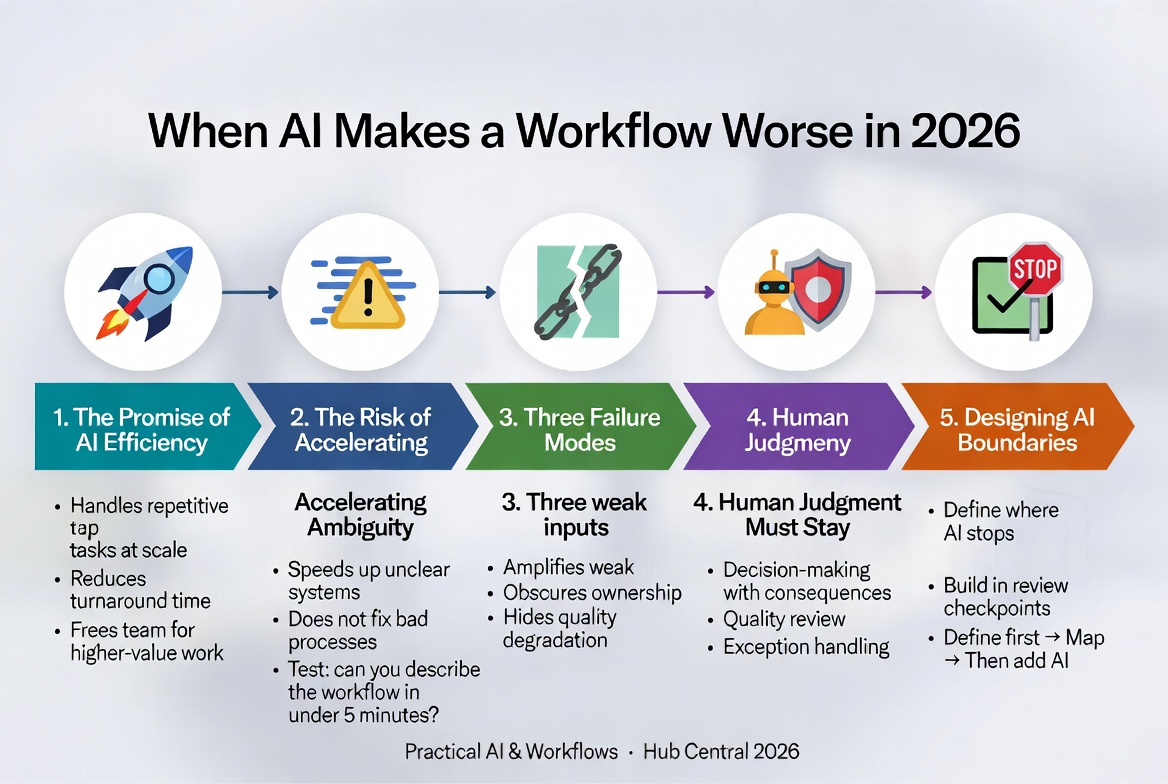
The Promise of AI Efficiency
AI tools can handle repetitive tasks at scale, reduce turnaround times, and free up your team to focus on higher-value work. For time-poor small teams, this is genuinely significant.
The problem isn’t the promise. The problem is that the promise gets applied universally. AI operates within a system. It follows the logic of whatever process it’s embedded in.
If the process is well-designed, AI amplifies its strengths.
If the process is vague, inconsistent, or poorly owned — AI amplifies that too.
See also: What Is a Workflow? Definition, Examples, and Why Workflows Matter
The Risk of Accelerating Ambiguity
AI doesn’t fix unclear systems — it speeds them up.
If your content approval process is fuzzy (people aren’t sure who signs off on what or what “approved” actually means), adding an AI drafting tool doesn’t solve that. It just means you’re producing more content faster while the same fuzzy approval process tries to keep up.
A useful test before deploying any AI tool: Could you describe the process it’s supporting to a new hire in under five minutes? If not, the process isn’t ready for AI.
Three Failure Modes
When AI degrades a workflow, it usually happens in one of three ways:
- AI amplifies weak inputs
AI tools work with what they’re given. Feed them a poorly worded brief and they’ll produce a polished version of a poorly worded brief. The tool is working as intended — it’s just working with weak material.
-
AI obscures ownership
When AI generates first drafts, summaries, or analyses, it becomes easy for the team to engage with the output less critically. “The AI did it” is a short step from “I’m not sure whose problem this is.” -
AI hides quality degradation
AI-generated work often looks good — well-structured, grammatically clean, and confidently presented. This surface quality can mask factual errors, missing context, or conclusions that don’t actually follow from the evidence.
See also: Why Most Teams Misunderstand Automation
Where Human Judgment Must Stay
Human oversight is not a fallback — it is a permanent part of the design.
Three areas where human judgment must remain central:
- Decision-making with downstream consequences (hiring, pricing, customer commitments, financial reporting)
- Quality review (define what “good” looks like first)
- Exception handling (unusual or emotionally sensitive cases)
Designing AI Boundaries
The most effective AI implementations are not the ones that use AI the most — they are the ones that are clearest about where AI stops.
Build in checkpoints: defined moments where a human reviews, approves, or redirects before the process continues.
The correct order is always: Define the workflow → Map it → Evaluate the tool → Introduce AI deliberately with boundaries.
See also: A Framework for Evaluating AI Tools Before Adoption
See also: A Step-by-Step AI Integration Checklist for Small Teams
See also: When Should You Introduce AI Into a Workflow
Next in Series: Part 8: AI Integration Checklist for Small Teams in 2026
Keep Reading
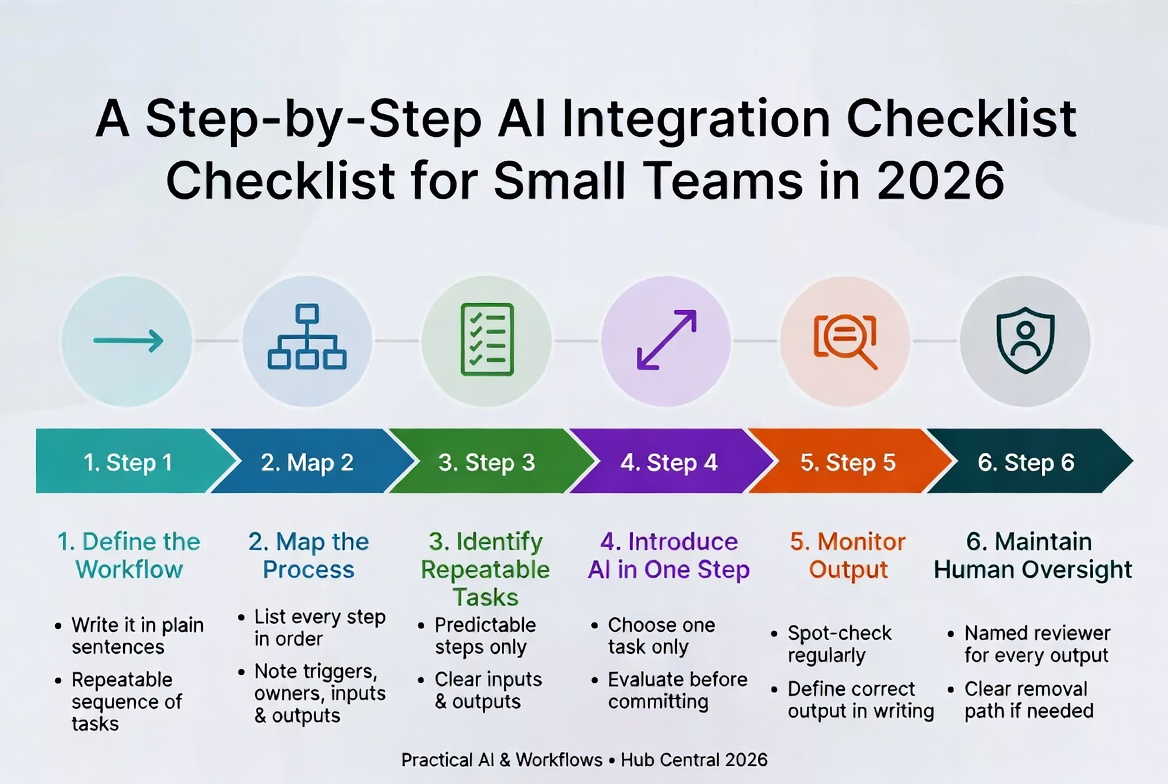
A Step-by-Step AI Integration Checklist for Small Teams in 2026
A disciplined six-step framework for adopting AI without losing control. Define the workflow first, map it, then introduce AI one step at a time – so you actually trust the results.
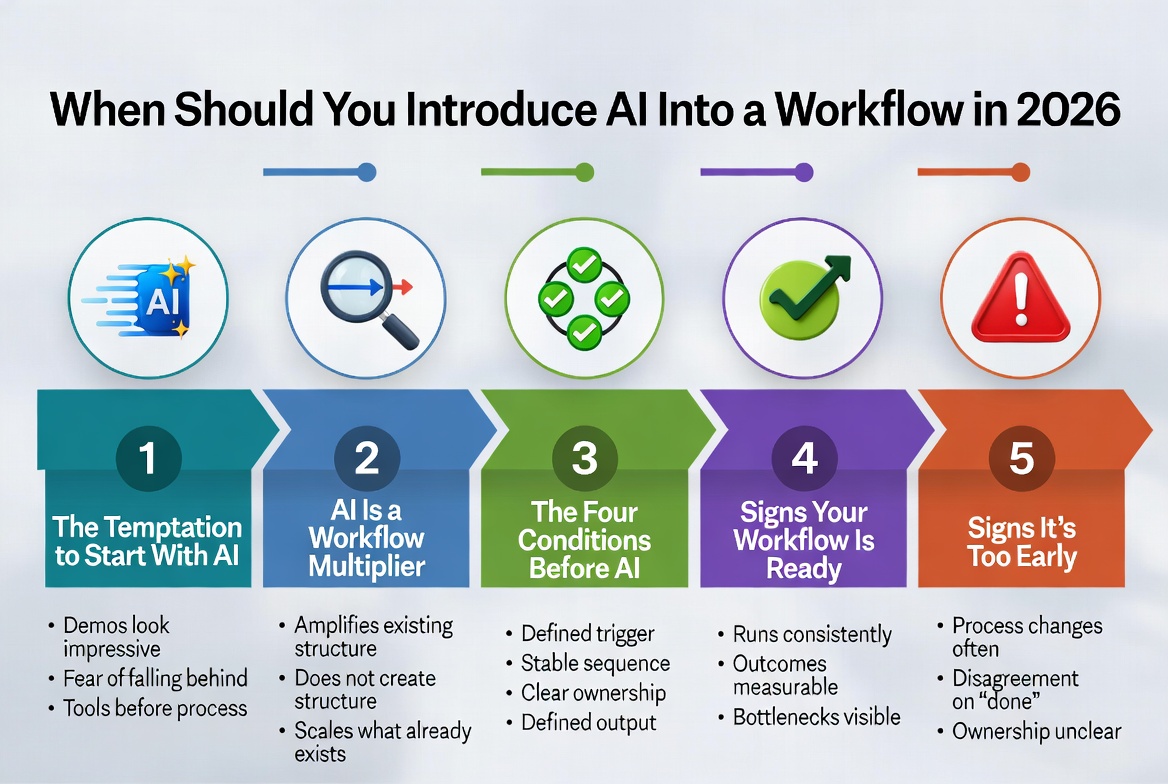
When Should You Introduce AI Into a Workflow in 2026
The right time to introduce AI is after your workflow has a clear trigger, sequence, ownership, and defined output. Introducing it earlier simply speeds up confusion.
About Okel Dijital Team
Written by the Hub Central editorial team. We test real AI workflows and WordPress processes to help small teams work faster and smarter.