When Should You Introduce AI Into a Workflow in 2026
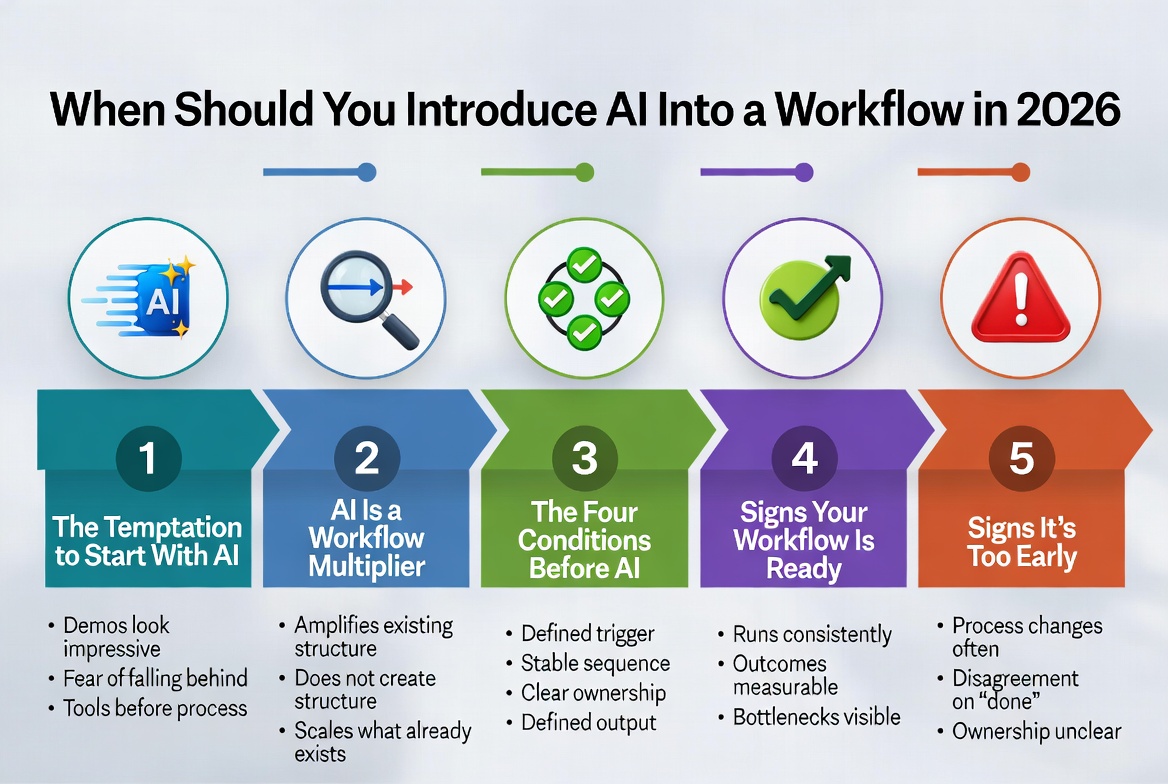
There’s a version of this conversation that happens in almost every team: someone returns from a conference, finishes a podcast, or reads a headline, and suddenly the question is in the room — should we be using AI for this?
It’s a fair question. But it’s often asked too early — before anyone has stopped to ask a more important one: do we actually understand this workflow well enough to hand any of it off?
This article is a decision filter. Not a reason to adopt AI faster, and not a reason to avoid it. Just a practical framework for knowing when the conditions are right — and when they aren’t yet.
AI Is a Workflow Multiplier, Not a Fix
AI amplifies the structure that already exists. It doesn’t create it.
If a workflow is clear, repeatable, and well-understood, AI can make it faster, more consistent, and more scalable.
If a workflow is vague, inconsistent, or contested, AI will simply scale that vagueness.
Think of it like a photocopier. A photocopier doesn’t improve a poorly written document — it just makes more copies of it. AI operates the same way on a workflow level.
See also: What Is a Workflow? Definition, Examples, and Why Workflows Matter
The Four Conditions Before AI
Before you introduce AI into any workflow, these four conditions should be in place:
-
A defined trigger
The workflow has a clear starting point. Something specific and consistent kicks it off — a form submission, a calendar event, a file upload. If the workflow “just kind of starts when someone notices it,” it’s not ready. -
A stable sequence
The steps between start and finish follow the same path most of the time. Edge cases will exist, but the core sequence doesn’t change based on who is doing it.
-
Clear ownership
Someone is responsible for this workflow — and everyone involved knows who that is. AI introduces new failure points; you need a human who owns the response. -
A defined output
The workflow ends with something specific and recognisable — a sent email, a published post, a signed contract, a logged entry.
See also: Mapping Your Existing Workflow Before Using AI
Signs Your Workflow Is Ready for AI
- The process runs consistently without supervision
- Outcomes are measurable
- Bottlenecks are visible
- Errors are predictable
If most of these are true, it’s worth exploring what AI could do.
Signs It’s Too Early
- The process changes frequently
- There’s disagreement about what “done” means
- Ownership is unclear
- The workflow relies heavily on judgment calls
The honest signal is this: if explaining the workflow to someone new takes more than a few minutes of caveats and exceptions, it probably needs more definition before it needs more speed.
The Practical Rule
Define first. Then map. Then decide where AI fits.
Introducing AI too early doesn’t save time — it just accelerates the problems you already have.
See also: A Framework for Evaluating AI Tools Before Adoption
See also: A Step-by-Step AI Integration Checklist for Small Teams
See also: When AI Makes a Workflow Worse
Next in Series: Part 5: A Framework for Evaluating AI Tools Before Adoption
Keep Reading
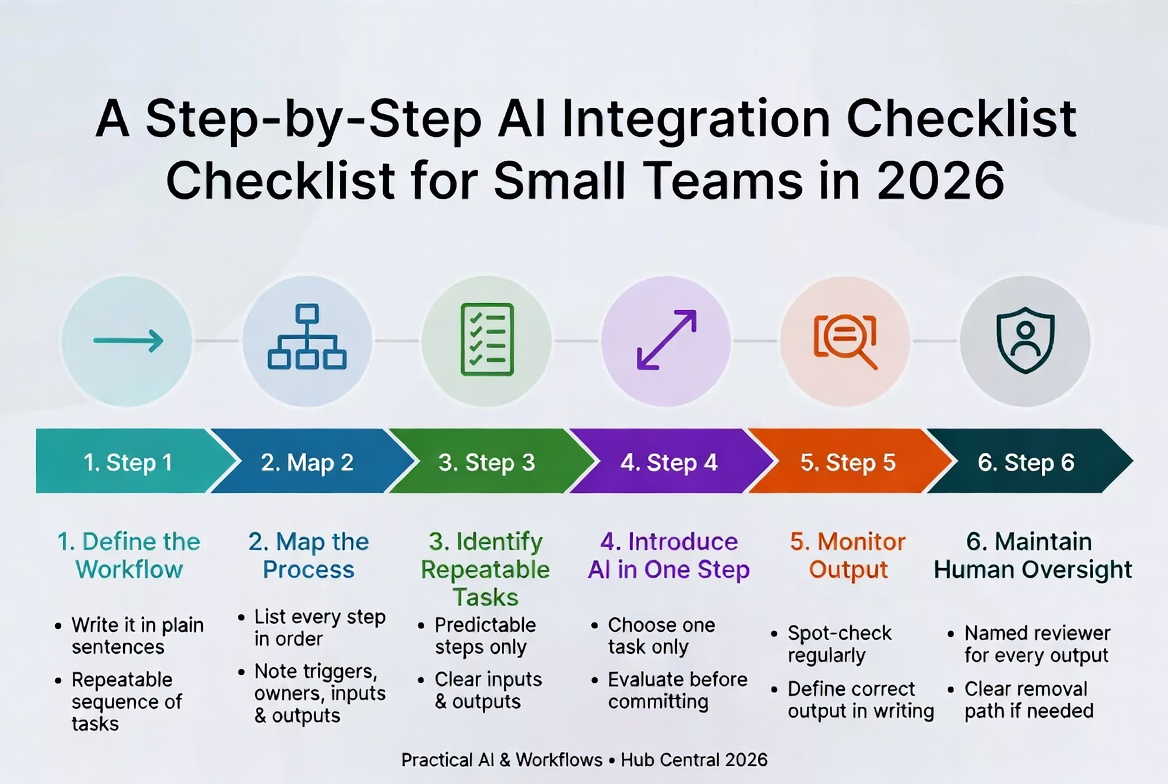
A Step-by-Step AI Integration Checklist for Small Teams in 2026
A disciplined six-step framework for adopting AI without losing control. Define the workflow first, map it, then introduce AI one step at a time – so you actually trust the results.
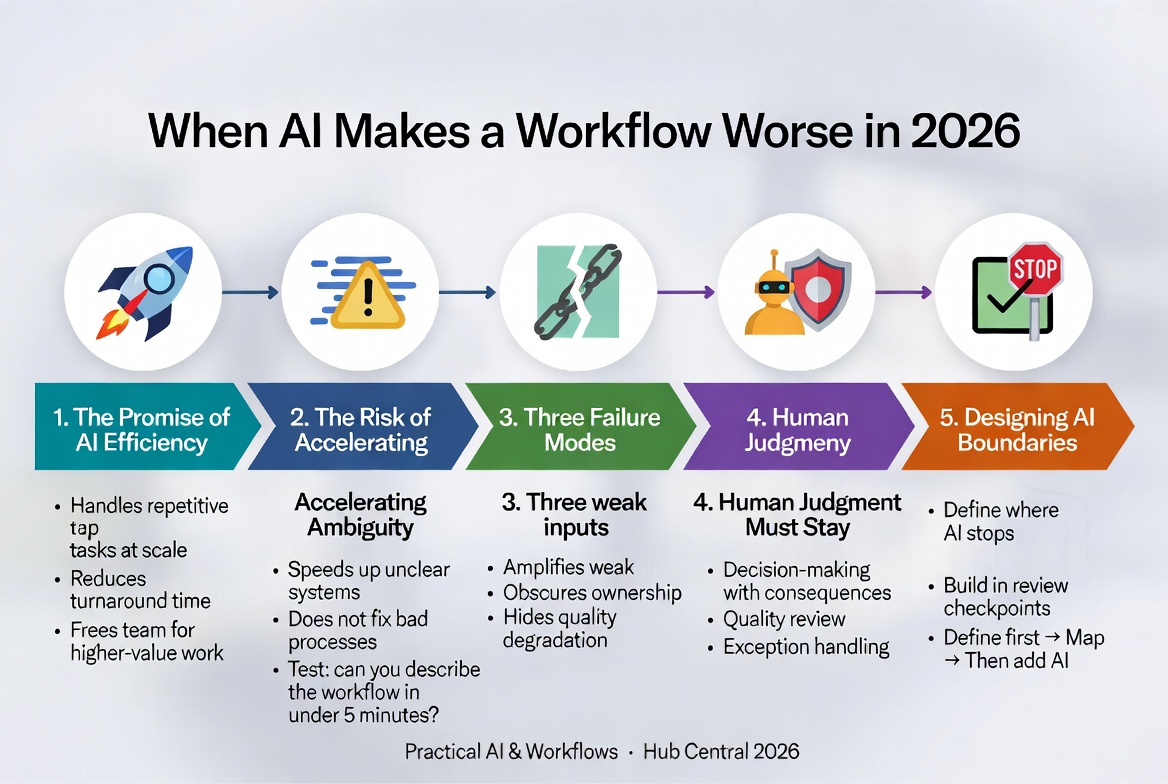
When AI Makes a Workflow Worse in 2026
AI can dramatically improve workflows, but it can also make them measurably worse when dropped into unclear processes, undefined standards, or poorly owned steps. Here are the three failure modes and how to avoid them.
About Okel Dijital Team
Written by the Hub Central editorial team. We test real AI workflows and WordPress processes to help small teams work faster and smarter.