How to Choose Professional Email for a Small Business (2026)
Choosing a professional email provider looks like a price comparison. It isn't, really.
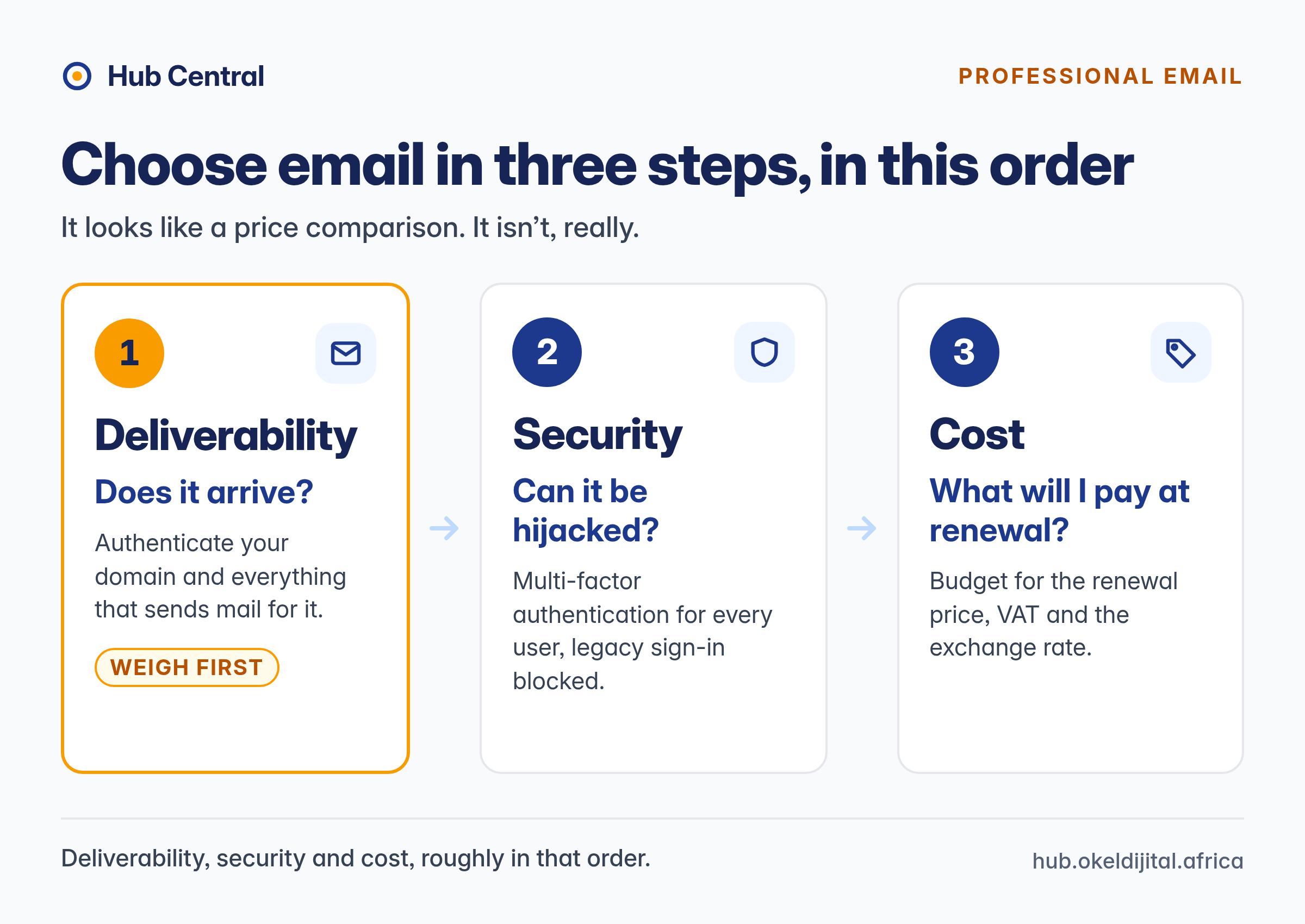
A business mailbox costs little next to the problems it can cause: a quote that lands in a client's spam folder, an account taken over through a reused password, or a bill that doubles at renewal. Those map to the three things that matter most: deliverability, security and cost, roughly in that order.
This guide does not crown a winner. Google Workspace, Microsoft 365, Zoho Mail, Proton, Fastmail, budget hosts and South African hosts each suit some businesses and not others. Instead, it gives teams of roughly 1 to 25 people a way to decide, with a South African section for businesses billed in rand.
For a provider-by-provider view, see our professional email hosting comparison. This article is the decision framework behind it.
Hub Central has no affiliate relationships with any provider mentioned here. Prices and plan details were checked on each vendor's own page on the dates stated.
The Short Answer: Pick by Situation
- Your team lives in shared documents, calendars and video calls: Google Workspace or Microsoft 365, whichever apps your team and clients already use.
- You only need email, calendar and contacts: an email-focused service such as Zoho Mail, Fastmail or Microsoft's Exchange Online plan usually costs less.
- Privacy is a priority: Proton Mail for Business or Fastmail, after checking your other tools work with them.
- You want rand billing and local support: a South African host or a local reseller.
- Tight budget: a budget host can work; compare renewal prices, not introductory ones.
- Whatever you choose: set up SPF, DKIM and DMARC, turn on multi-factor authentication, and test delivery.
Why a Free Address Costs More Than It Looks
Anyone can register a free @gmail.com address that looks like yours, you can't authenticate it with your own domain, and when a staff member leaves, the address leaves too. A mailbox on your own domain (you@yourbusiness.co.za) fixes all three. The question is where it should live.
Step 1: Decide What You Actually Need
Answer these questions before comparing plans. They rule out half the options quickly.
- How many mailboxes now, and in 12 months? Per-user pricing grows with headcount.
- Do you need shared addresses such as info@ or accounts@? Some providers allow free aliases; others charge for shared mailboxes.
- Do you need a collaboration suite? That is where Google Workspace and Microsoft 365 earn their price. If your team won't use it, don't pay for it.
- Which apps will people use? Some cheaper or free plans restrict access from Outlook, Apple Mail or phone apps.
- How much storage does each person really use? Check current mailbox sizes.
- Who will administer it? Someone has to add users, remove leavers and manage DNS records.
- What else sends mail as your domain? Website forms, newsletter tools, invoicing software and CRMs all send "as you" (see Step 2).
- Any regulatory or client requirements for retention, archiving, encryption or data location?
Step 2: Deliverability, What You Control and What the Provider Controls
No provider can guarantee inbox placement, and we found no independent, published benchmark comparing small-business providers. Treat "industry-leading deliverability" as marketing unless it comes with evidence. Much of it is in your hands: whether your domain, and everything that sends mail for it, is correctly authenticated.
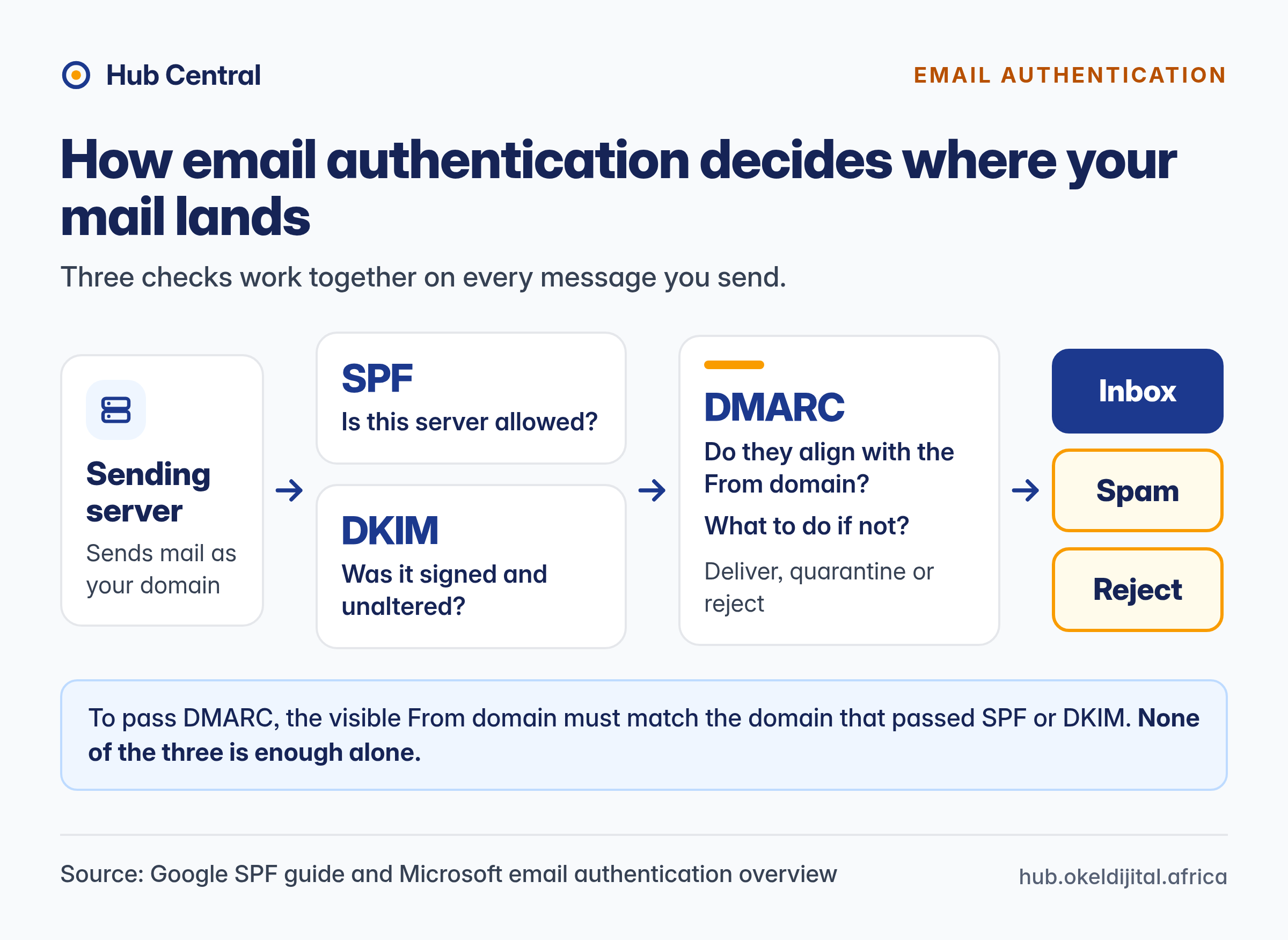
SPF, DKIM and DMARC in plain English
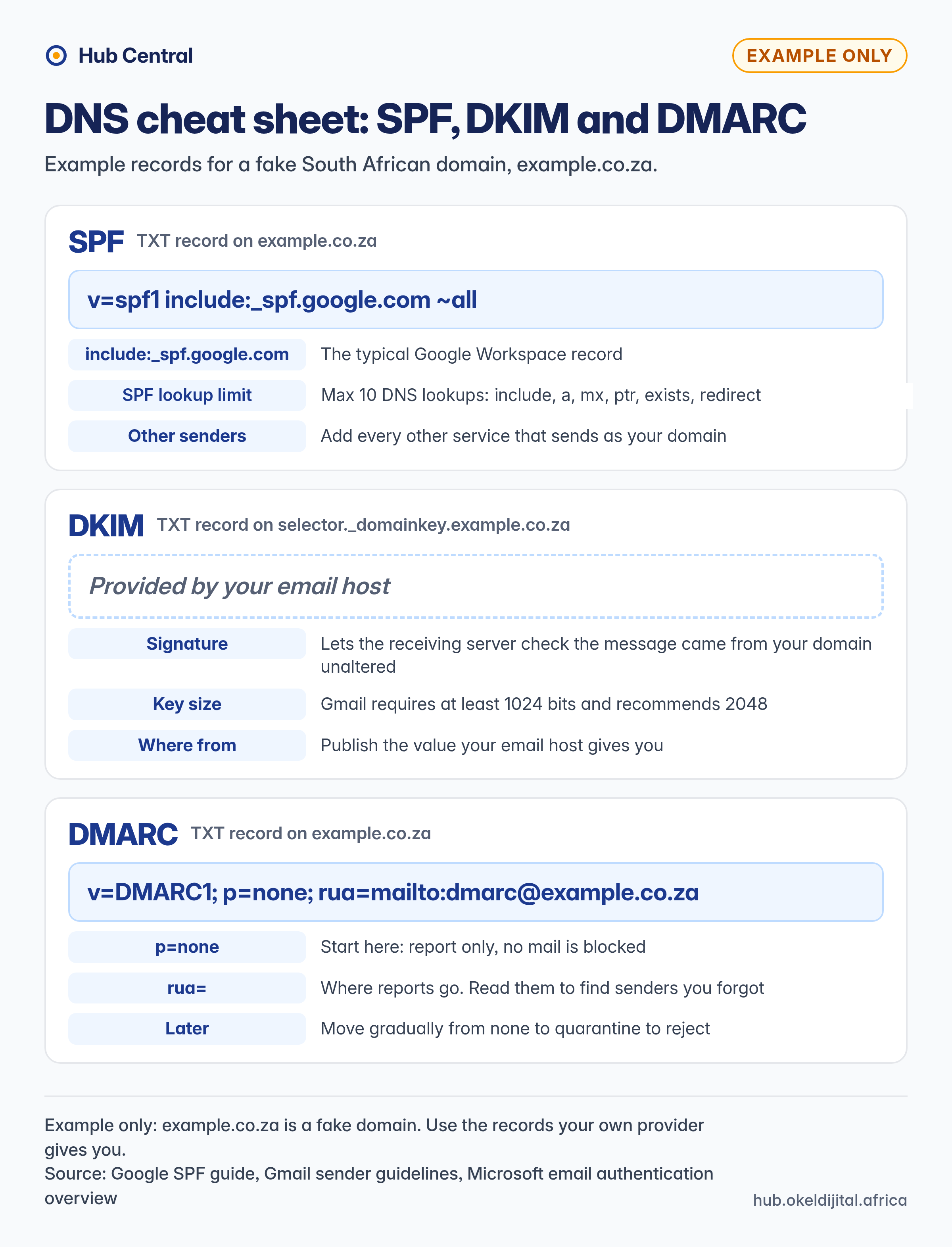
- SPF is a DNS record listing the servers allowed to send mail for your domain. Google's SPF guide shows the typical Workspace record,
v=spf1 include:_spf.google.com ~all, and notes that a record can trigger at most 10 DNS lookups.include:,a,mx,ptr,existsandredirectall count, including lookups nested inside included records. Every other service that sends as your domain must be added. - DKIM adds a cryptographic signature so the receiving server can check a message came from your domain unaltered. Gmail requires a key of at least 1024 bits and recommends 2048.
- DMARC tells receiving servers what to do when a message fails (deliver, quarantine or reject) and sends you reports. To pass, the visible From domain must match the domain that passed SPF or DKIM.
As Microsoft's email authentication overview puts it, the three work together; none is enough alone.
The big mailbox providers' sender rules
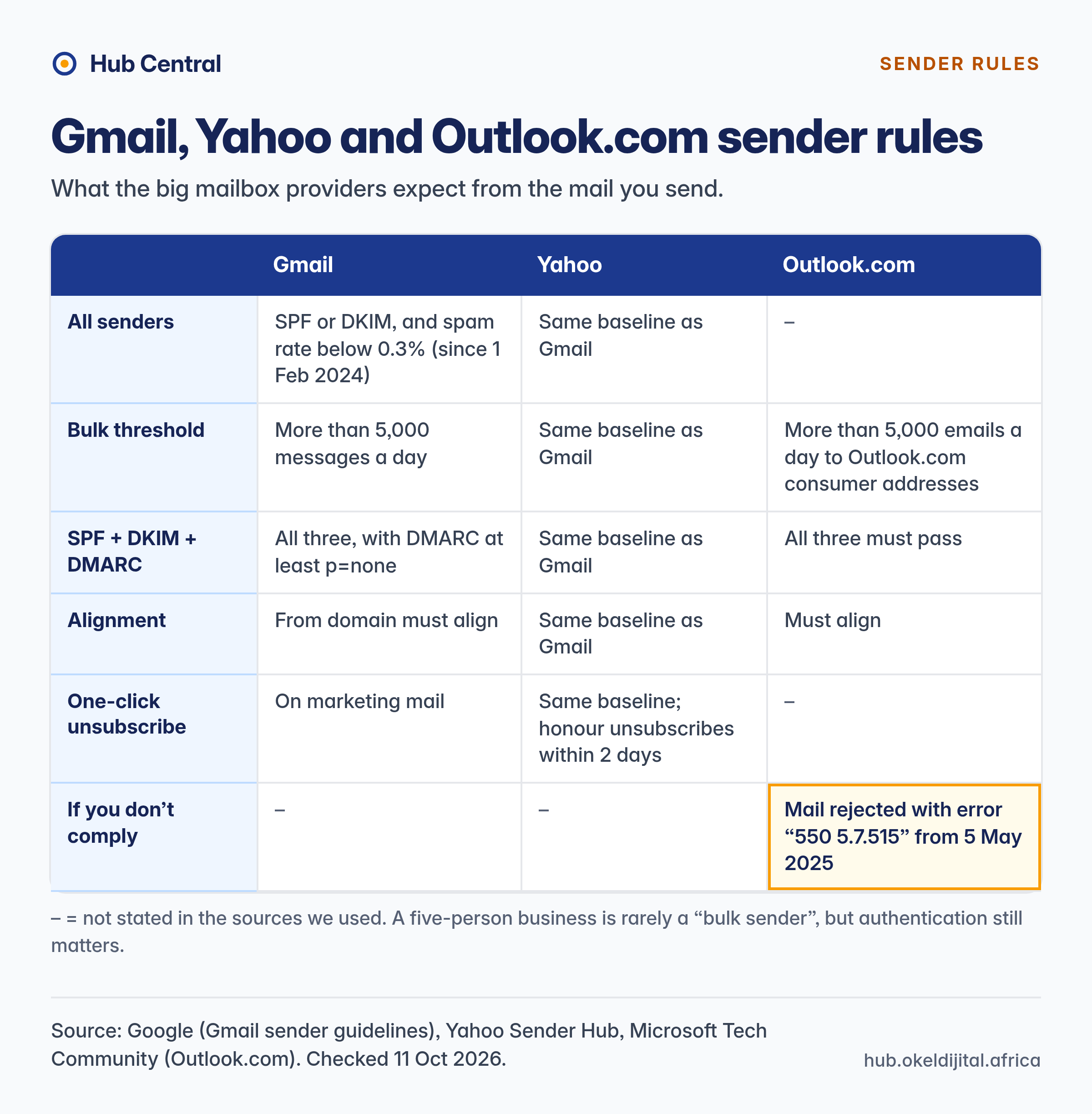
- Gmail: since 1 February 2024, all senders to Gmail must use SPF or DKIM and keep their spam rate below 0.3%. Senders of more than 5,000 messages a day must use SPF, DKIM and DMARC (at least
p=none), align the From domain and offer one-click unsubscribe on marketing mail. - Yahoo: Yahoo's sender best practices set the same baseline, and ask bulk senders to honour unsubscribes within two days.
- Outlook.com: Microsoft announced that domains sending more than 5,000 emails a day to Outlook.com consumer addresses must pass SPF, DKIM and DMARC. Its updated post says non-compliant mail is rejected with error "550 5.7.515" from 5 May 2025.
A five-person business is rarely a "bulk sender", but authentication still matters: it makes your domain harder to spoof, and newsletters or CRM mail can push your volume higher than you expect.
What to do in practice
- Publish the SPF and DKIM records your provider gives you, then add every other sending service using its own instructions.
- Start DMARC at
p=nonewith reporting, for examplev=DMARC1; p=none; rua=mailto:dmarc@example.co.za, and read the reports to find senders you forgot. Microsoft advises moving gradually from none to quarantine to reject. - Test with real Gmail, Outlook.com and Yahoo inboxes and check the headers show SPF, DKIM and DMARC "pass".
- Keep marketing mail separate, sent through a dedicated email marketing service, ideally from a subdomain.
- Ask budget providers about sending limits and whether outgoing servers are shared.
Step 3: Set a Security Baseline
Whichever provider you choose, insist on these basics:
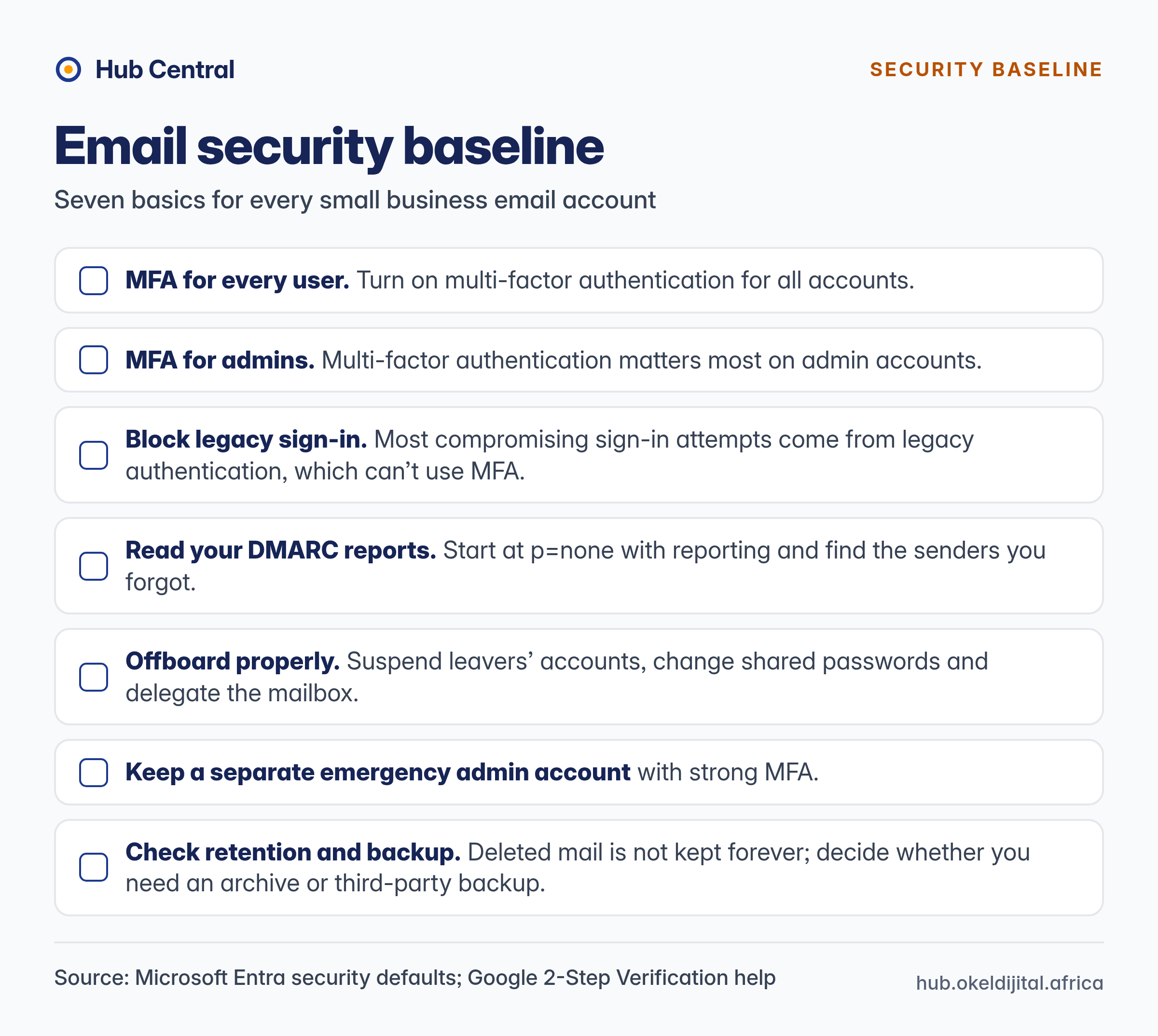
- Multi-factor authentication for every user, especially admins. Microsoft's free security defaults require MFA registration for all users and block legacy sign-in protocols; Microsoft says MFA plus blocking legacy authentication stops more than 99.9% of common identity attacks (a vendor statistic). Google Workspace admins can enforce 2-Step Verification, and Google is phasing in mandatory 2SV for admin accounts, starting with some account types.
- Block legacy protocols. Microsoft says most compromising sign-in attempts come from legacy authentication, which can't use MFA.
- Know what filtering your tier includes. Microsoft reserves "advanced threat protection" for Business Premium; Google says its protection "blocks more than 99.9% of attacks" on all plans. These are vendor claims we have not tested.
- Offboard properly. Suspend leavers' accounts, change shared passwords and delegate the mailbox.
- Keep a separate emergency admin account with strong MFA.
- Check retention and backup. Deleted mail is not kept forever; decide whether you need an archive or third-party backup.
Download the printable security checklist (PDF)
Step 4: Work Out the Real Cost
Sticker prices are per user, per month, and usually exclude tax. What the headline hides:
- Billing commitment. Google's US$7.00 Business Starter price needs a one-year commitment (Google says annual saves 16% over its flexible plan). Microsoft's Business plans are shown "paid yearly", Zoho's Mail Lite and Premium are annual-only, and Fastmail and Proton charge less for yearly billing.
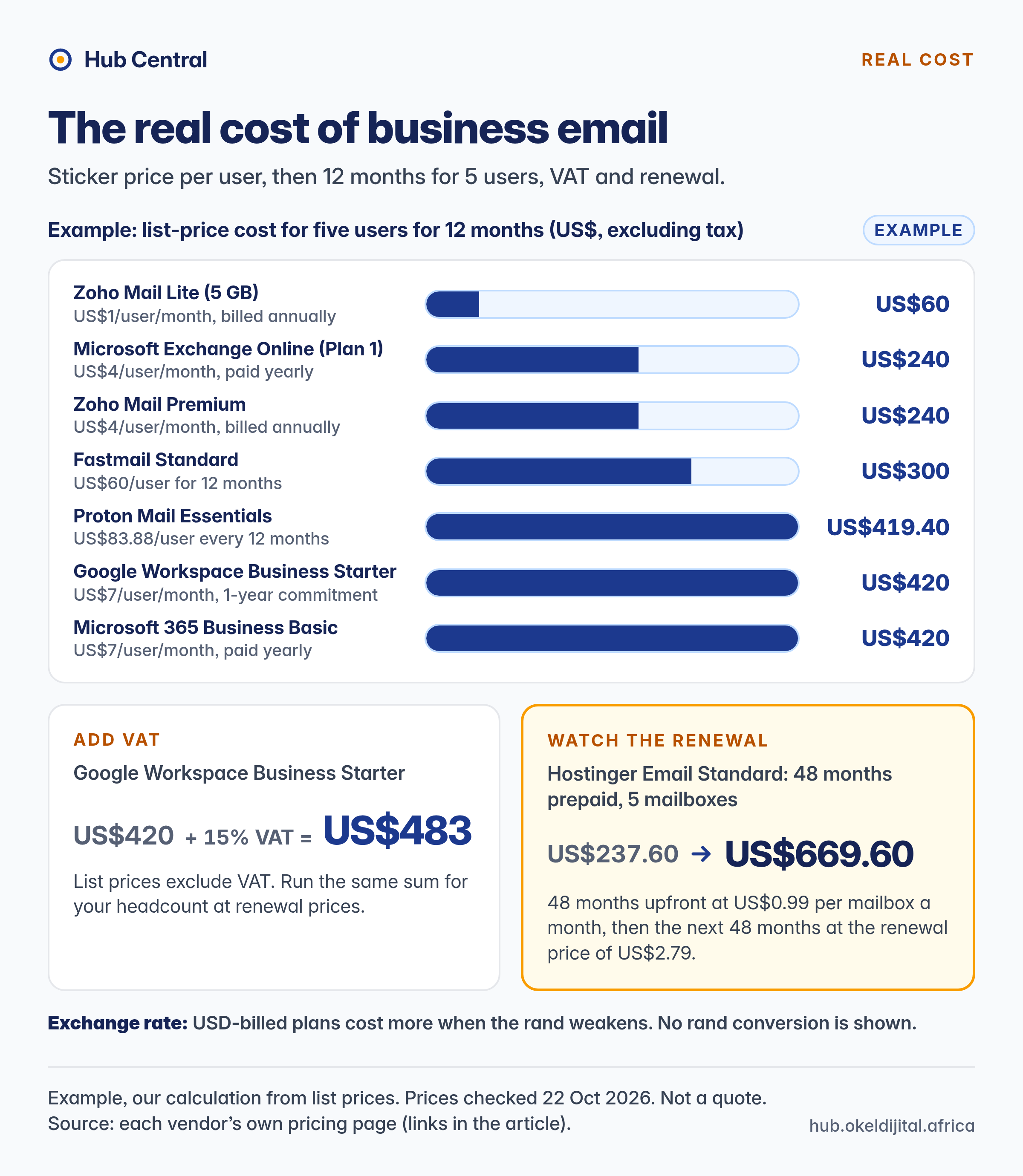
- Introductory versus renewal prices. Hostinger's Standard plan is US$0.99 per mailbox per month on a 48-month term paid upfront, renewing at US$2.79. Budget on the price after any promotion.
- Tax. List prices exclude VAT or sales tax. South Africa's standard VAT rate is 15%.
- Exchange rate. USD-billed plans cost more when the rand weakens.
- What counts as a user. Paid shared mailboxes versus free aliases can change the bill a lot.
- Bundles. Microsoft now lists Business Standard and Premium as "with Copilot" plans (US$23.50 and US$32.00 per user per month, paid yearly). Check exactly which plan you are quoted.
Example: list-price cost for five users for 12 months
Our arithmetic from list prices shown on 22 October 2026, USD, excluding tax. An example, not a quote.
| Plan | Basis | 5 users, 12 months (ex-tax) |
|---|---|---|
| Zoho Mail Lite (5 GB) | US$1/user/month, billed annually | US$60 |
| Microsoft Exchange Online (Plan 1) | US$4/user/month, paid yearly | US$240 |
| Zoho Mail Premium | US$4/user/month, billed annually | US$240 |
| Fastmail Standard | US$60/user for 12 months | US$300 |
| Proton Mail Essentials | US$83.88/user every 12 months | US$419.40 |
| Google Workspace Business Starter | US$7/user/month, 1-year commitment | US$420 |
| Microsoft 365 Business Basic | US$7/user/month, paid yearly | US$420 |
| Hostinger Email Standard | 48 months paid upfront at US$0.99/mailbox/month | US$237.60 upfront for 4 years; renewing at US$2.79 costs US$669.60 for the next 4 |
If 15% VAT is added, US$420 becomes US$483. Run the same sum for your headcount at renewal prices.
Step 5: The South Africa Checklist
Rand or dollars?
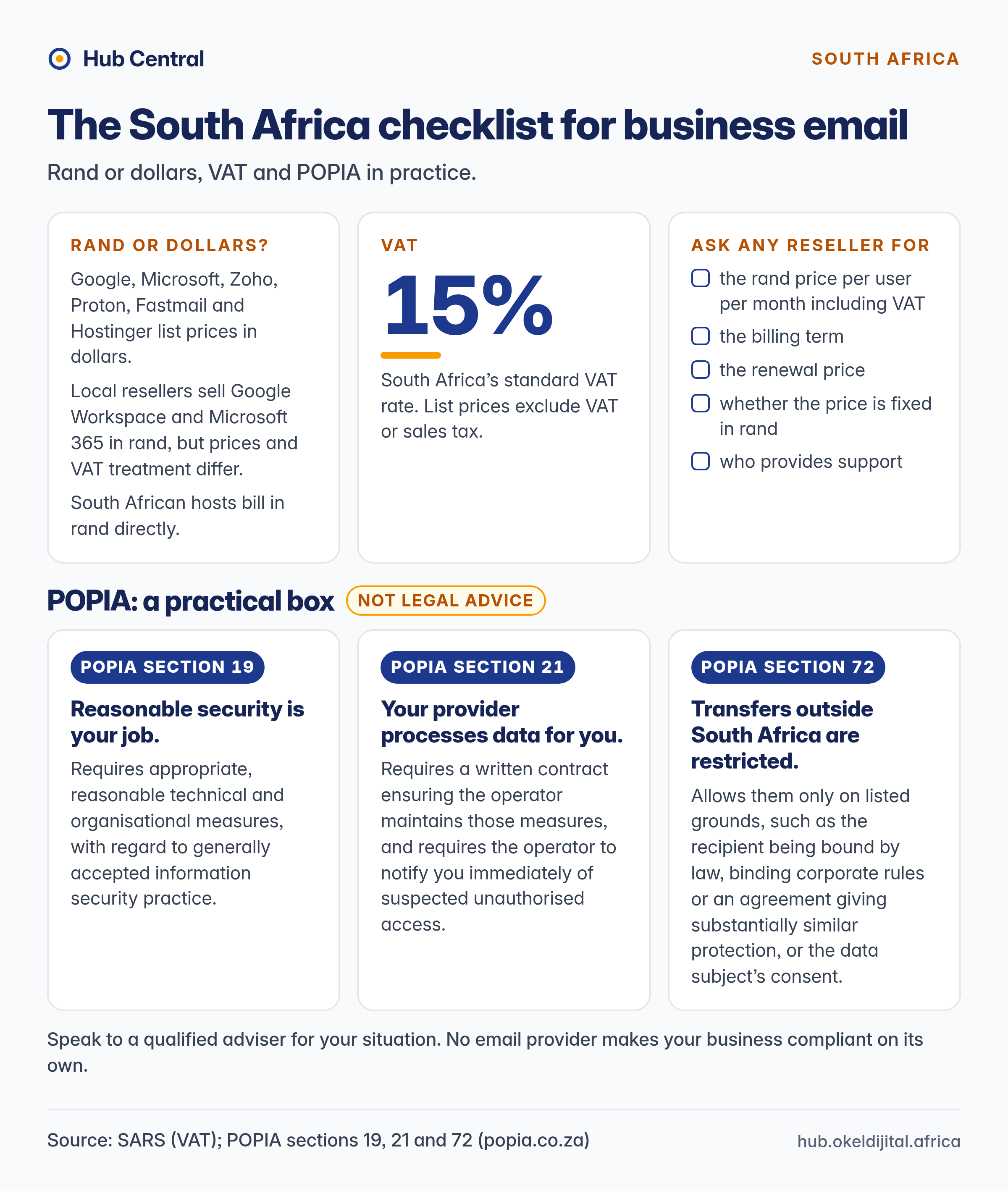
Google, Microsoft, Zoho, Proton, Fastmail and Hostinger list prices in dollars (Proton also offers euro and Swiss franc). Microsoft's South Africa (en-za) business page shows USD list prices excluding VAT (checked from a South African connection, October 2026). Local resellers sell Google Workspace and Microsoft 365 in rand, but prices and VAT treatment differ, so we are not quoting a single rand figure for the big suites. Ask any reseller for the rand price per user per month including VAT, the billing term, the renewal price, whether the price is fixed in rand, and who provides support.
South African hosts bill in rand directly. HOSTAFRICA's email hosting page lists its plans in rand. We do not quote those prices here: ask any South African provider for the per-user monthly price including VAT, the billing term and what support is included.
Paying in dollars? Check payment methods: Fastmail, for example, accepts cards, PayPal, Apple Pay and Google Pay, but not bank transfers.
POPIA: a practical box
Not legal advice. If your email holds personal information (client names, addresses, ID numbers), the Protection of Personal Information Act applies. Speak to a qualified adviser for your situation. In practical terms:
- Reasonable security is your job. Section 19 requires appropriate, reasonable technical and organisational measures, with regard to generally accepted information security practice. Step 3 is part of that.
- Your provider processes data for you. Section 21 requires a written contract ensuring the operator maintains those measures, and requires the operator to notify you immediately of suspected unauthorised access. Read and keep your provider's data processing terms.
- Transfers outside South Africa are restricted. Section 72 allows them only on listed grounds, such as the recipient being bound by law, binding corporate rules or an agreement giving substantially similar protection, or the data subject's consent. Find out where your mail is stored.
- Know what to do after a breach. Under section 22 of the Act, the responsible party must notify the Information Regulator and affected people as soon as reasonably possible.
No email provider makes your business compliant on its own; that depends on your contracts, settings and practices.
Provider Snapshot
As shown on each vendor's page on 22 October 2026, excluding tax unless stated. A shortlist starting point, not a ranking.
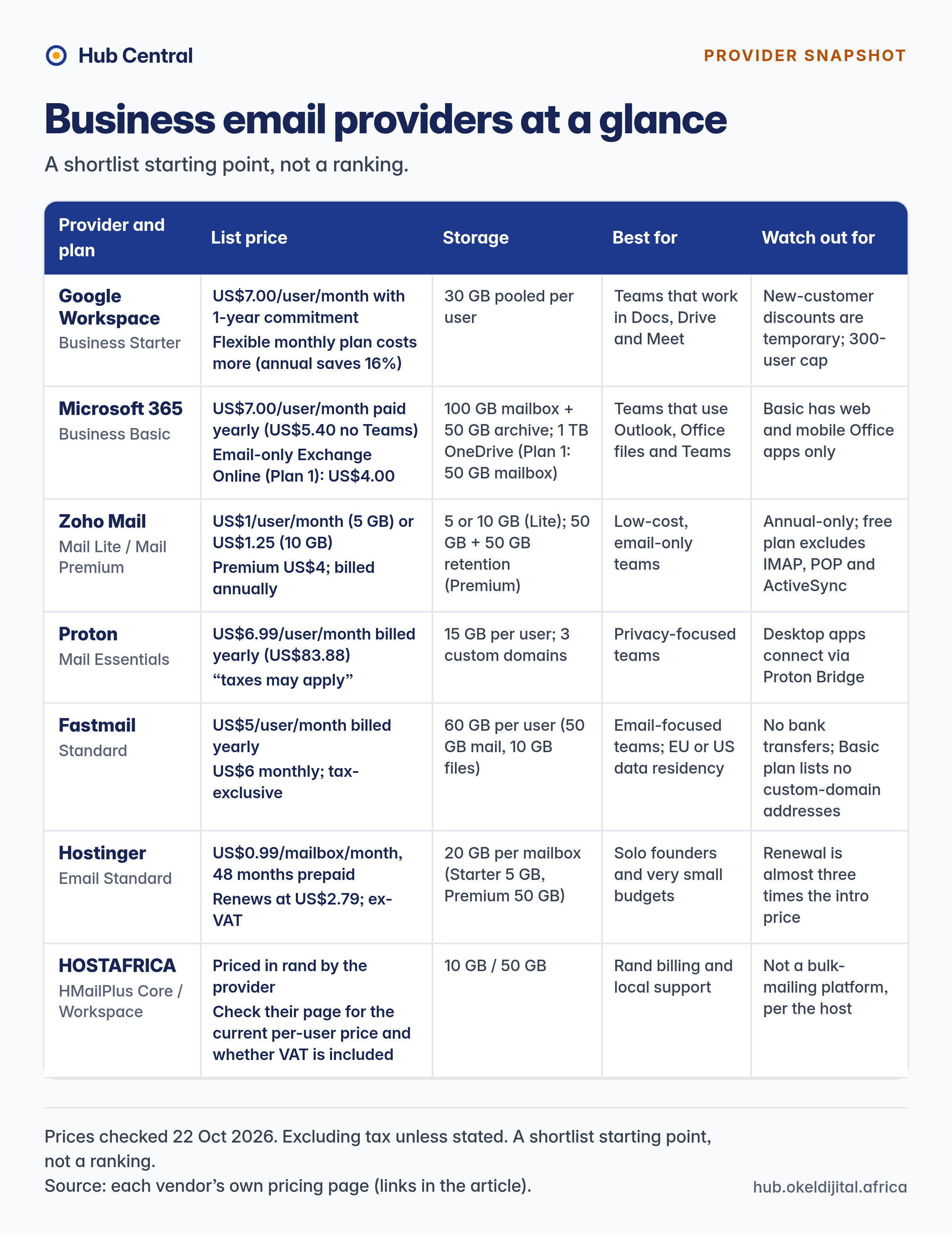
| Provider and plan | List price | Storage | Best for | Watch out for |
|---|---|---|---|---|
| Google Workspace Business Starter | US$7.00/user/month with 1-year commitment; the flexible monthly plan costs more (Google says the 1-year commitment saves 16%) | 30 GB pooled per user | Teams that work in Docs, Drive and Meet | New-customer discounts are temporary; 300-user cap |
| Microsoft 365 Business Basic | US$7.00/user/month paid yearly (US$5.40 no Teams); email-only Exchange Online (Plan 1) US$4.00 | 100 GB mailbox + 50 GB archive; 1 TB OneDrive (Plan 1: 50 GB mailbox) | Teams that use Outlook, Office files and Teams | Basic has web and mobile Office apps only |
| Zoho Mail Mail Lite / Mail Premium | US$1/user/month (5 GB) or US$1.25 (10 GB); Premium US$4; billed annually | 5 or 10 GB (Lite); 50 GB + 50 GB retention (Premium) | Low-cost, email-only teams | Annual-only; free plan excludes IMAP, POP and ActiveSync |
| Proton Mail Essentials | US$6.99/user/month billed yearly (US$83.88); "taxes may apply" | 15 GB per user; 3 custom domains | Privacy-focused teams | Desktop apps such as Outlook, Thunderbird and Apple Mail connect through Proton's Bridge app; check it suits your team before switching |
| Fastmail Standard | US$5/user/month billed yearly; US$6 monthly; tax-exclusive | 60 GB per user (50 GB mail, 10 GB files) | Email-focused teams; EU or US data residency | No bank transfers; Basic plan lists no custom-domain addresses |
| Hostinger Email Standard | US$0.99/mailbox/month, 48 months prepaid; renews at US$2.79; ex-VAT | 20 GB per mailbox (Starter 5 GB, Premium 50 GB) | Solo founders and very small budgets | Renewal is almost three times the intro price |
| HOSTAFRICA HMailPlus Core / Workspace | Priced in rand by the provider; check their page for the current per-user price and whether VAT is included | 10 GB / 50 GB | Rand billing and local support | Not a bulk-mailing platform, per the host |
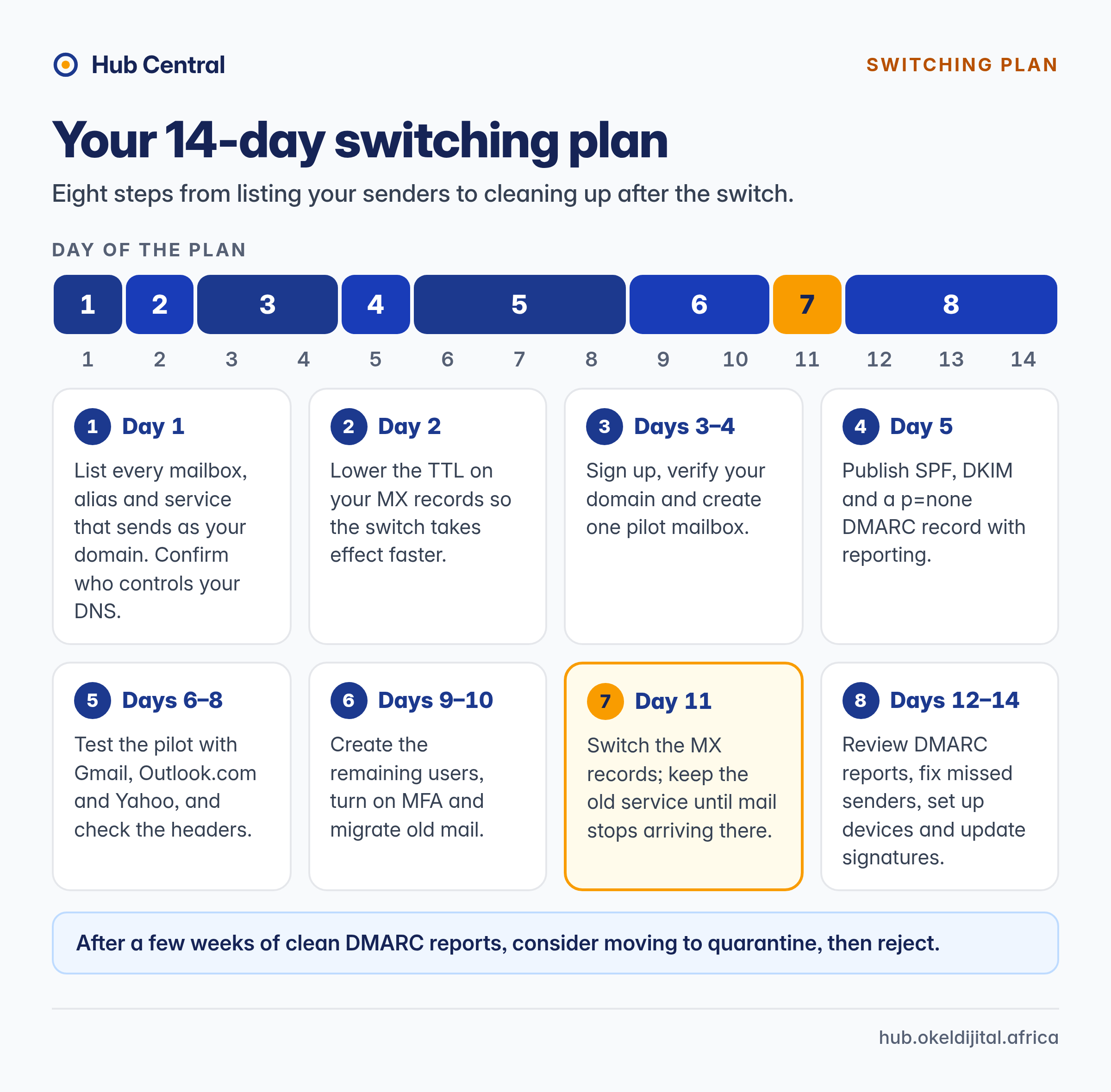
Your 14-Day Switching Plan
- Day 1: List every mailbox, alias and service that sends as your domain. Confirm who controls your DNS.
- Day 2: Lower the TTL on your MX records so the switch takes effect faster.
- Days 3 to 4: Sign up, verify your domain and create one pilot mailbox.
- Day 5: Publish SPF, DKIM and a
p=noneDMARC record with reporting. - Days 6 to 8: Test the pilot with Gmail, Outlook.com and Yahoo, and check the headers.
- Days 9 to 10: Create the remaining users, turn on MFA and migrate old mail.
- Day 11: Switch the MX records; keep the old service until mail stops arriving there.
- Days 12 to 14: Review DMARC reports, fix missed senders, set up devices and update signatures.
After a few weeks of clean DMARC reports, consider moving to quarantine, then reject.
What to Do Next
Answer the Step 1 questions, shortlist two or three providers, check prices on the day you buy, and compare them in our professional email hosting comparison.
Reviewing website hosting too? It is independent of email: see choosing the right WordPress hosting plan, best WordPress hosting for small teams and our WordPress speed checklist.
How you set email up matters as much as who you choose. Authenticate your domain, protect every account with MFA, budget for the renewal price, and most of the options above can serve a small business well.
Keep Reading

Best Professional Email Hosting for Small Businesses in 2026 – Honest Comparison & Recommendations
We compared the best professional email hosting options for small businesses in 2026. Here’s the clear winner, honest pros/cons, real pricing transparency, and which provider actually delivers reliable custom-domain email without hidden fees or downtime.

WordPress Speed Optimization 2026: A Small-Team Checklist
A practical 2026 WordPress speed checklist for small teams: Core Web Vitals, TTFB, caching, images, plugins and CDN, fixed in the order that actually works.
About Okel Dijital Team
Written by the Hub Central editorial team. We test real AI workflows and WordPress processes to help small teams work faster and smarter.